Camera settings
In the camera settings, you can edit the main parameters of the camera and configure how it is displayed in the system.
How to open camera settings
1. Go to the Cameras section
2. Open the required camera from All Cameras or Favorites

3. Tap Settings in the top-right corner
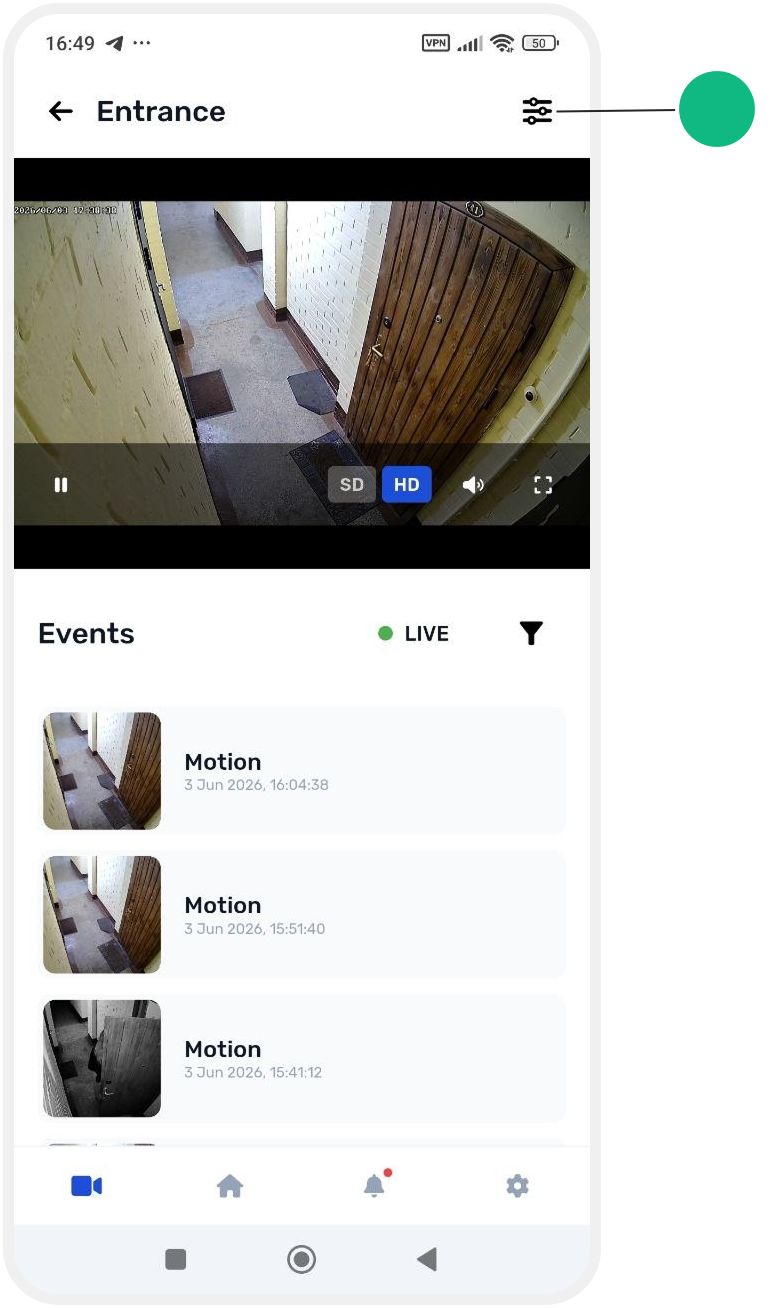
In the camera settings, you can:
— change the camera name
— add a description
— enable or disable display of the camera on the site main screen

After making changes, tap Save to apply the settings.