Deleting a camera
Only the site owner can delete a camera.
|
How to delete a camera
1. Go to the Cameras section
2. Find the required camera in All cameras or Favorites
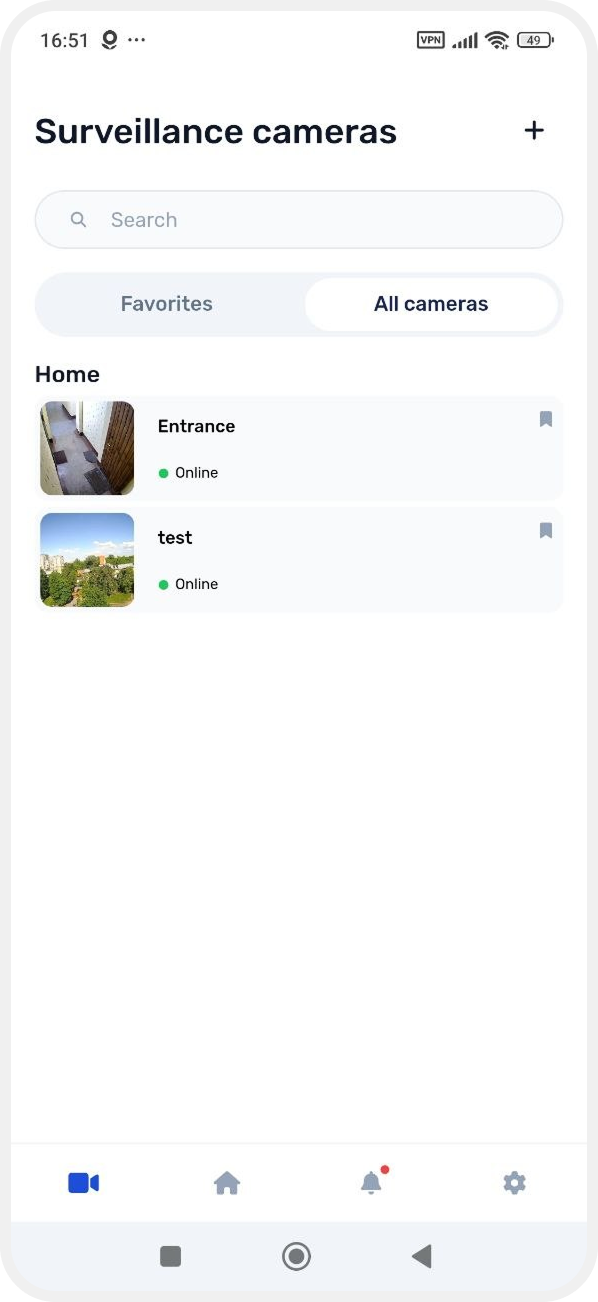
3. Press and hold the camera card
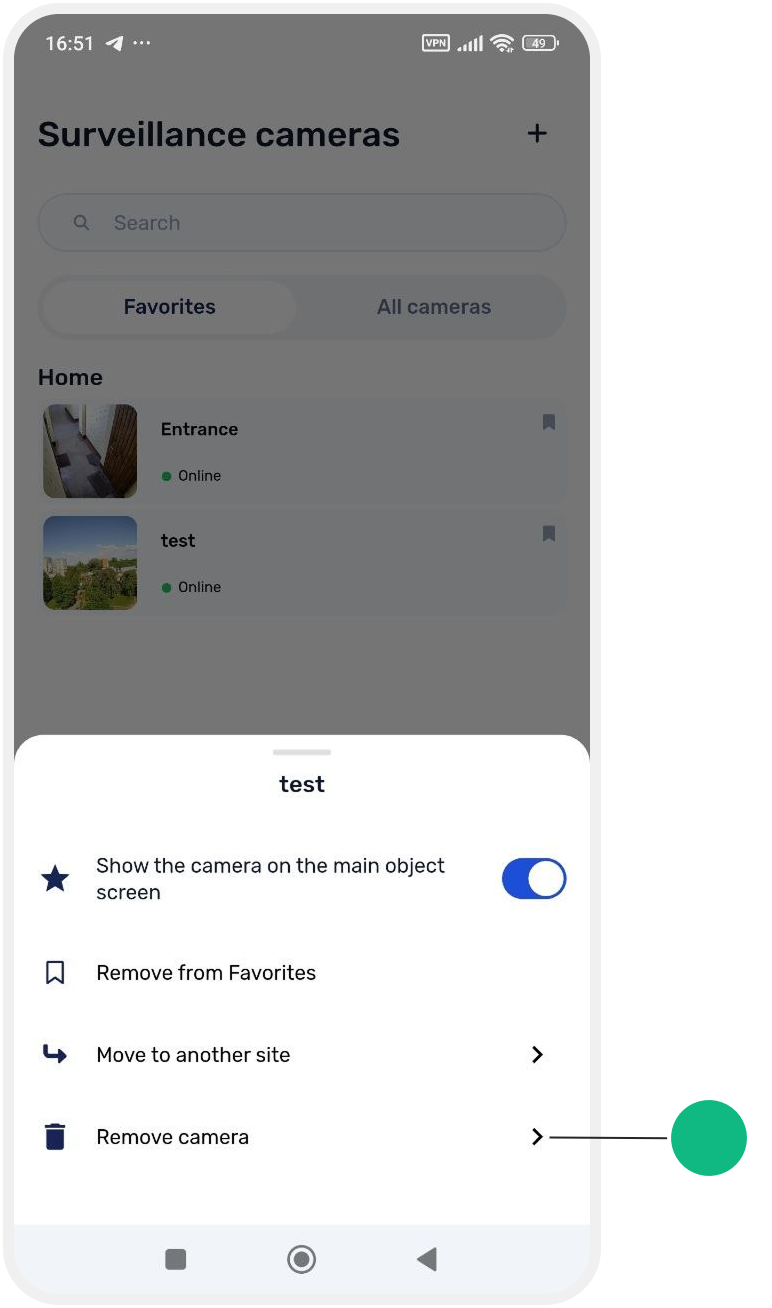
4. In the menu that appears, select Remove camera
5. Confirm the deletion
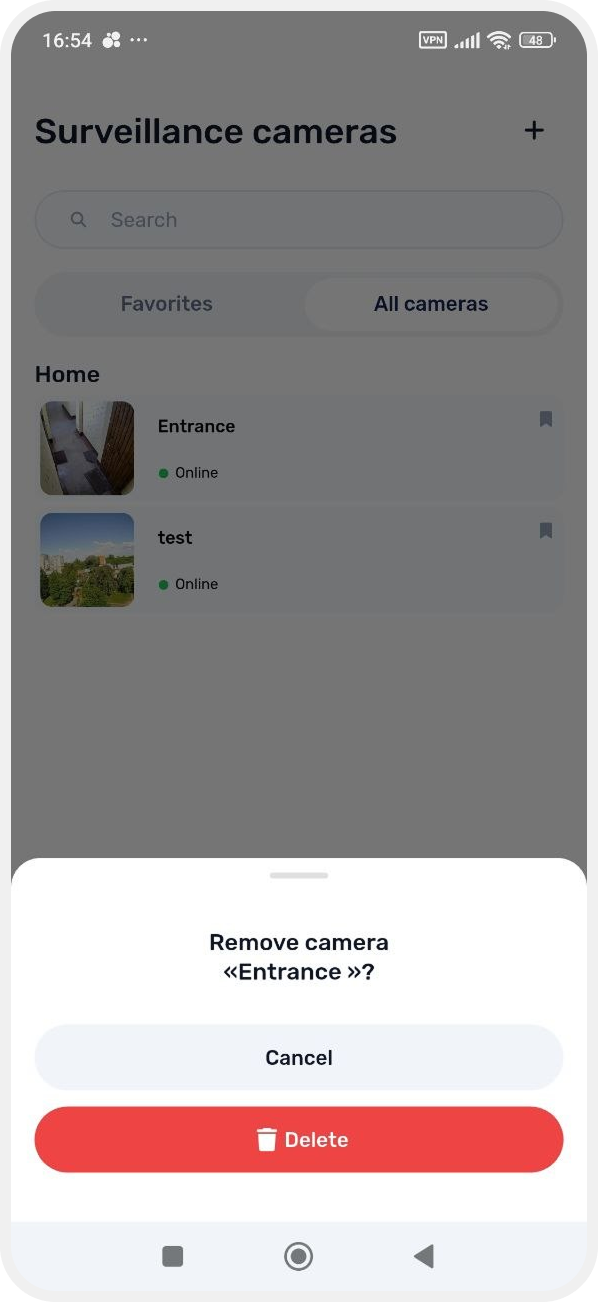
After this, the camera will be removed from the system and will no longer appear in the device list.