How to add a security control widget
The security control widget allows you to quickly arm or disarm a specific zone with one tap directly from the main site screen.
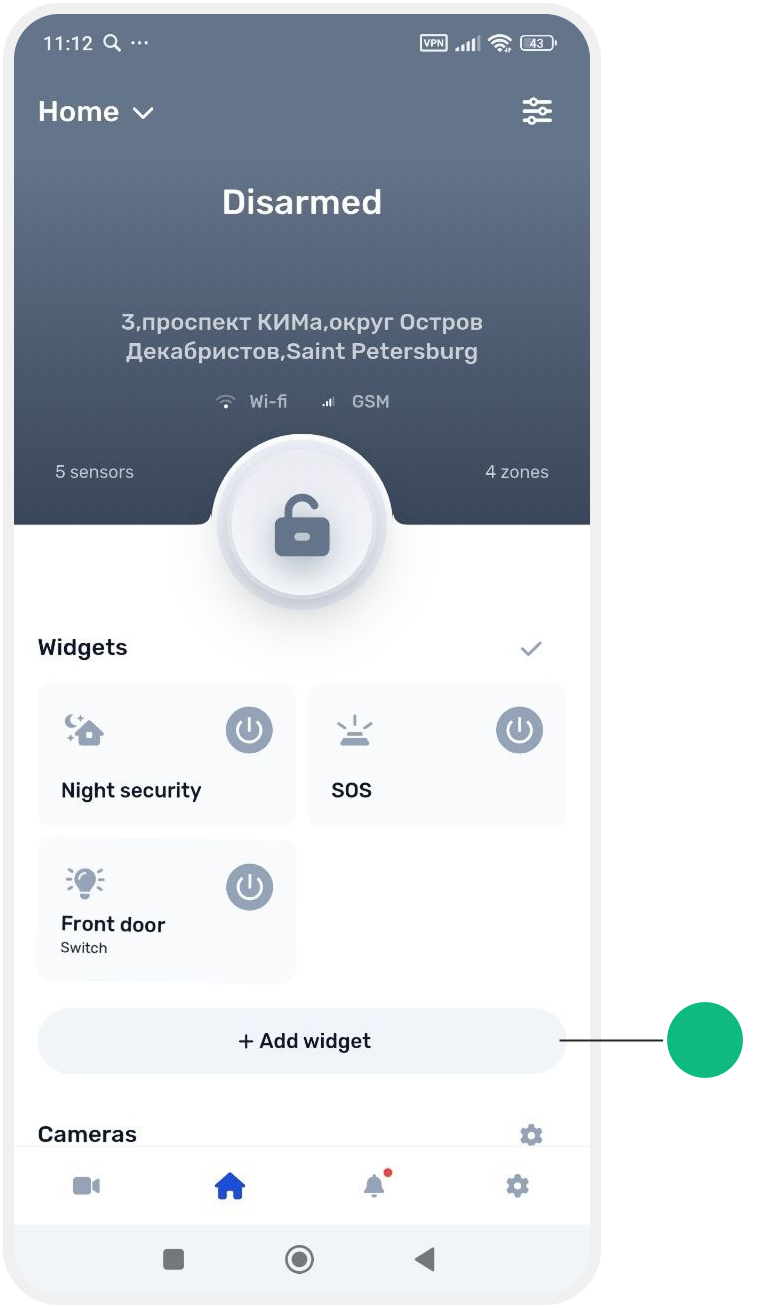
1. On the main site screen, tap the gear icon above the pinned widgets.

2. Tap Add widget
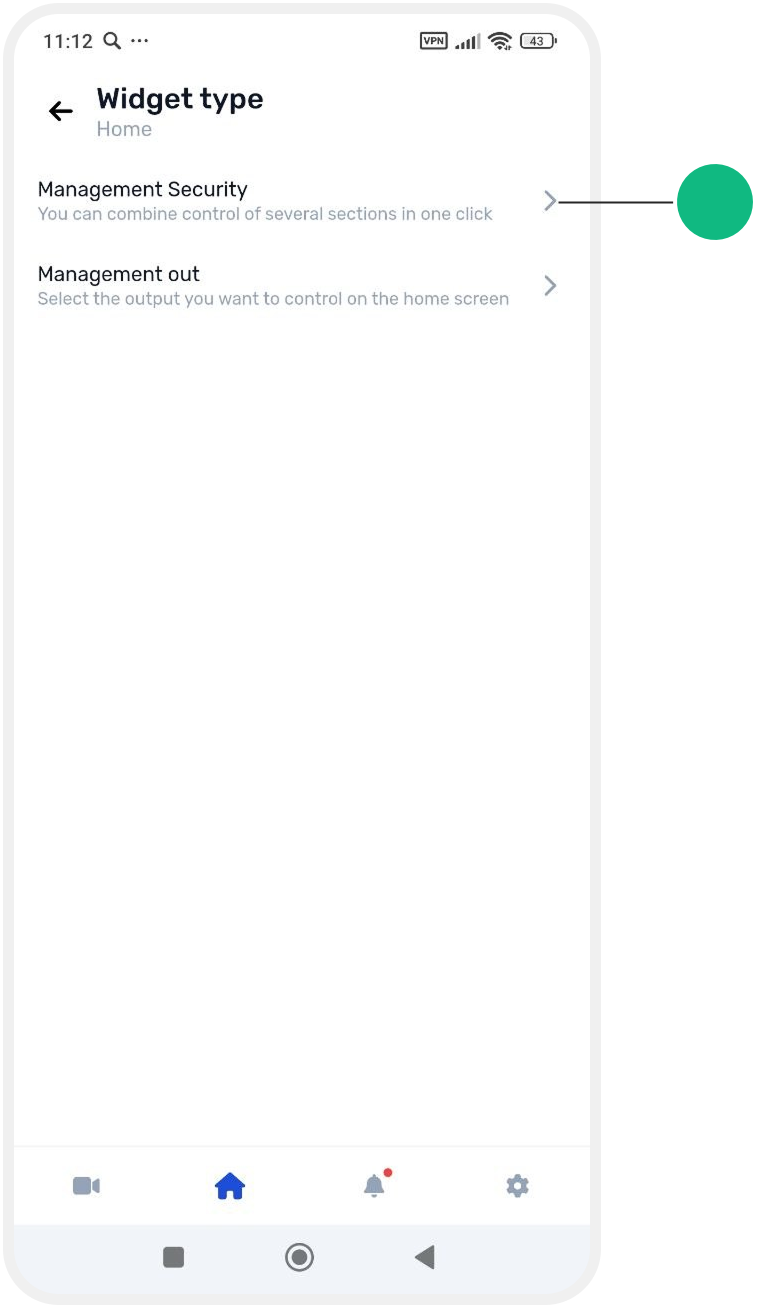
3. From the list, choose Management security
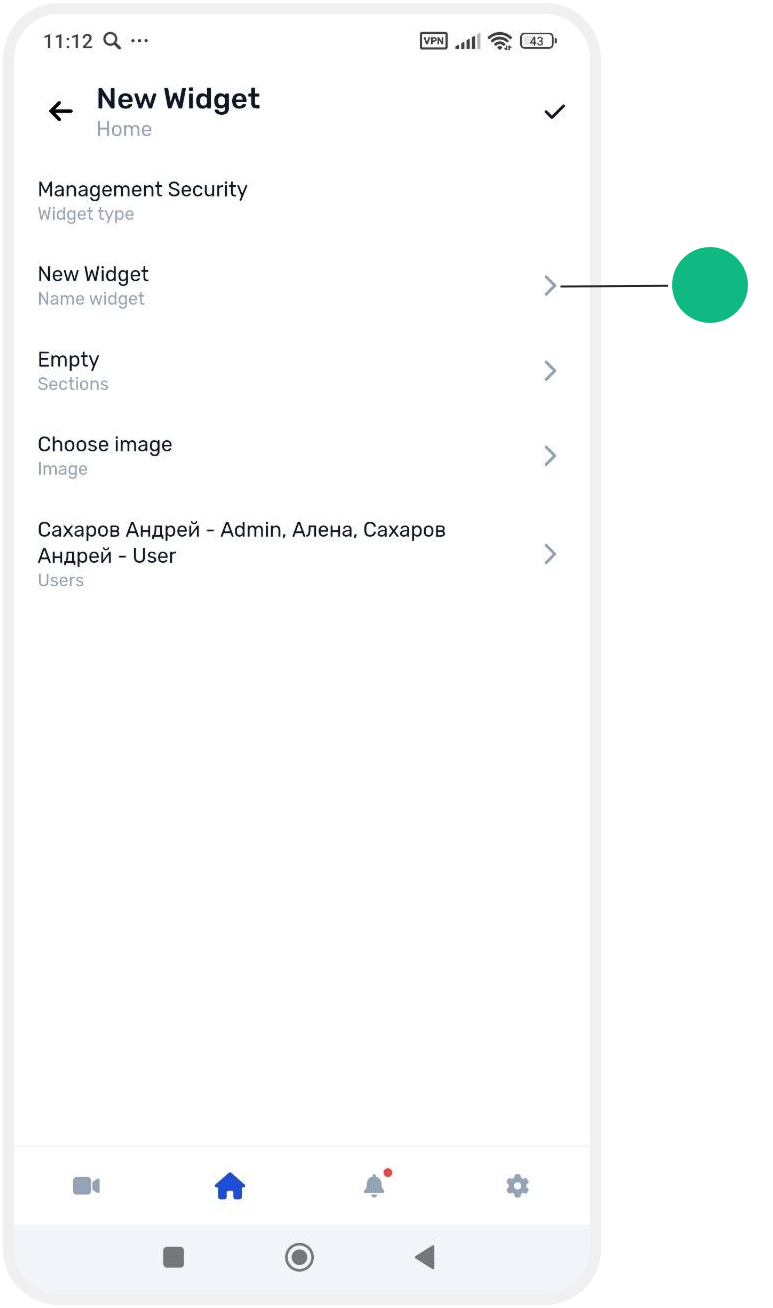
4. You will be taken to the widget setup screen:

-
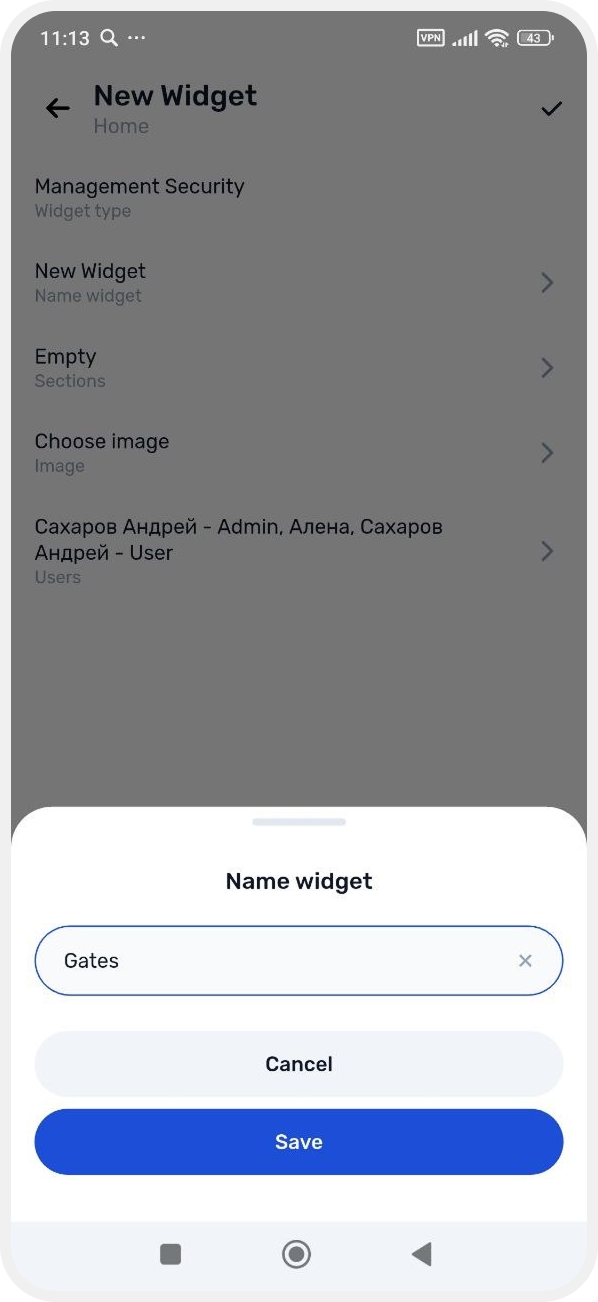
Name — enter a widget name and tap Save
-
Zones — select the zones you want to control and enable them using the toggle


-
Icon — choose an icon for the widget and confirm with the checkmark
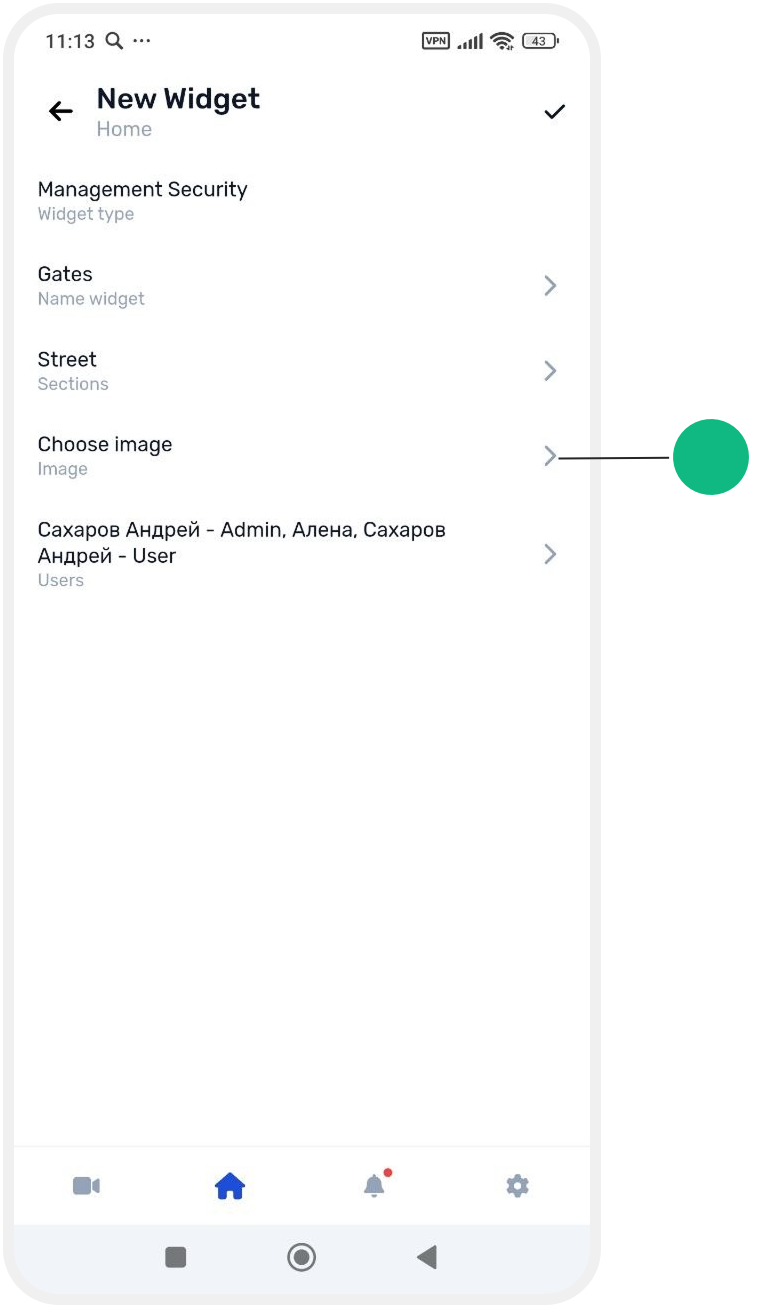
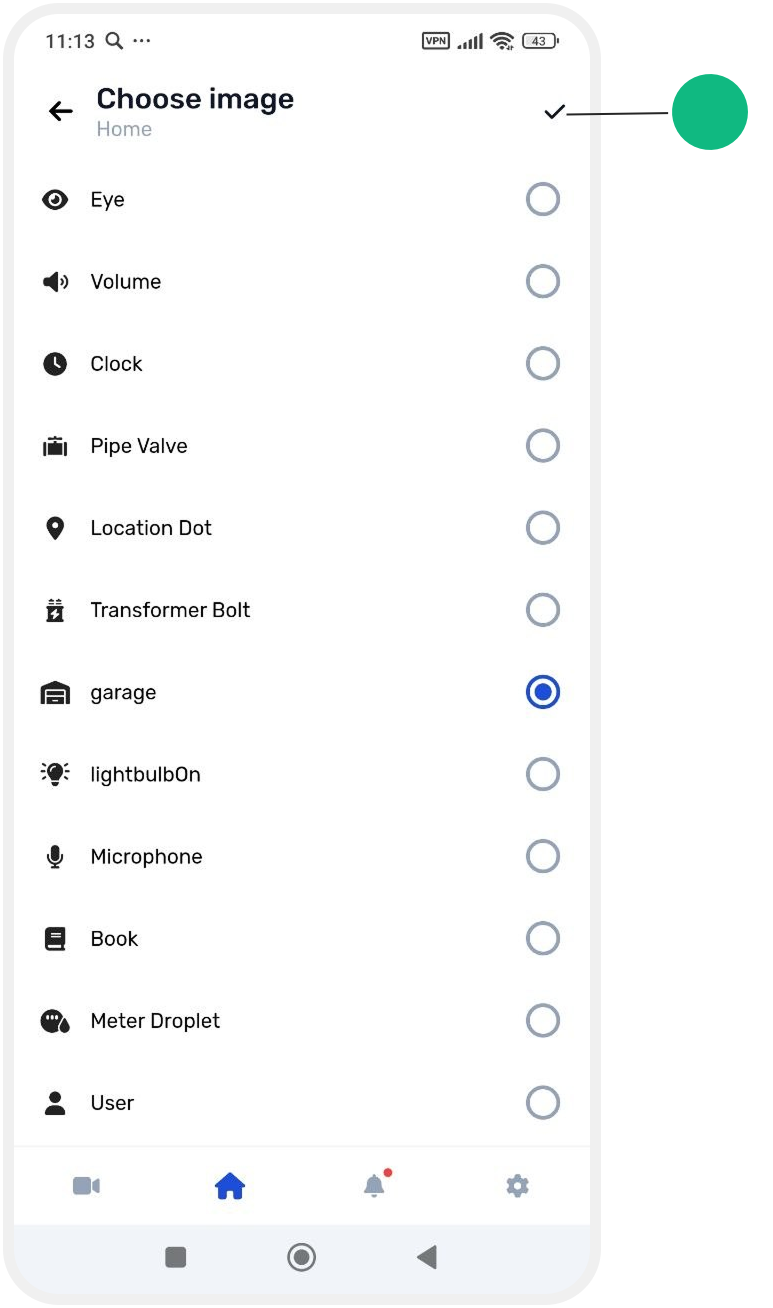
-
Access — select which users are allowed to view and use this widget


5. Save settings
Tap the checkmark in the top right corner to save all settings.
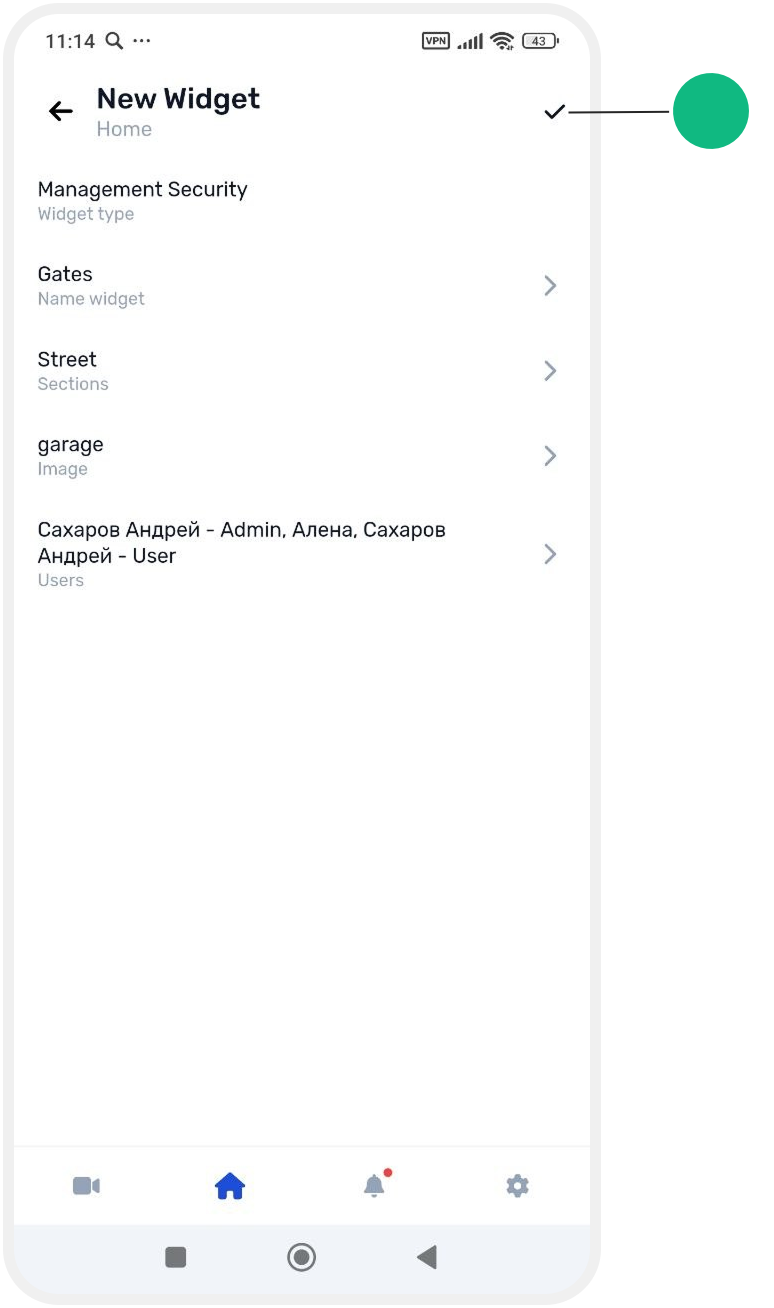
6. On the widget screen, confirm by tapping the checkmark next to widgets.
The widget will now appear on the main site screen, allowing quick control of selected zones.

