How to connect a wireless camera
A wireless camera is a video surveillance device that connects to the system via Wi-Fi, without a wired connection to the internet or a DVR/NVR.
It transmits video over a wireless network, so it can be installed in a convenient location without cable routing.
Camera setup
1. Open the Cameras section
Here you can see all connected cameras and favorite devices.
2. Tap the Add icon in the top-right corner or select Add camera
icon in the top-right corner or select Add camera
3. Select the site the camera will be assigned to
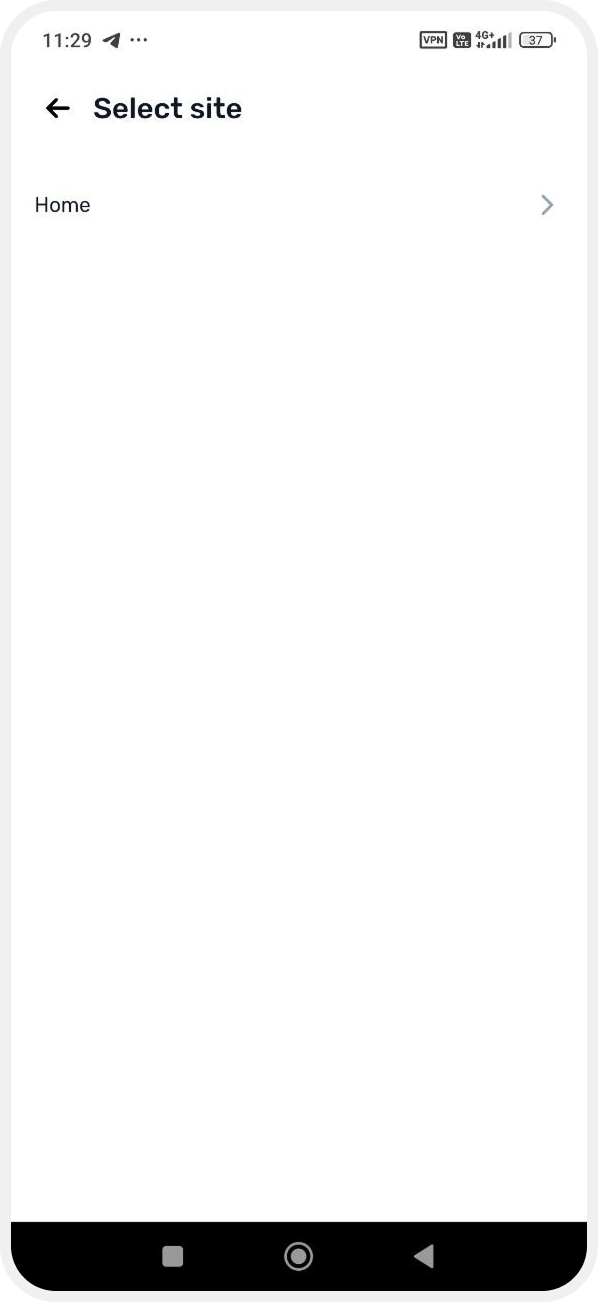
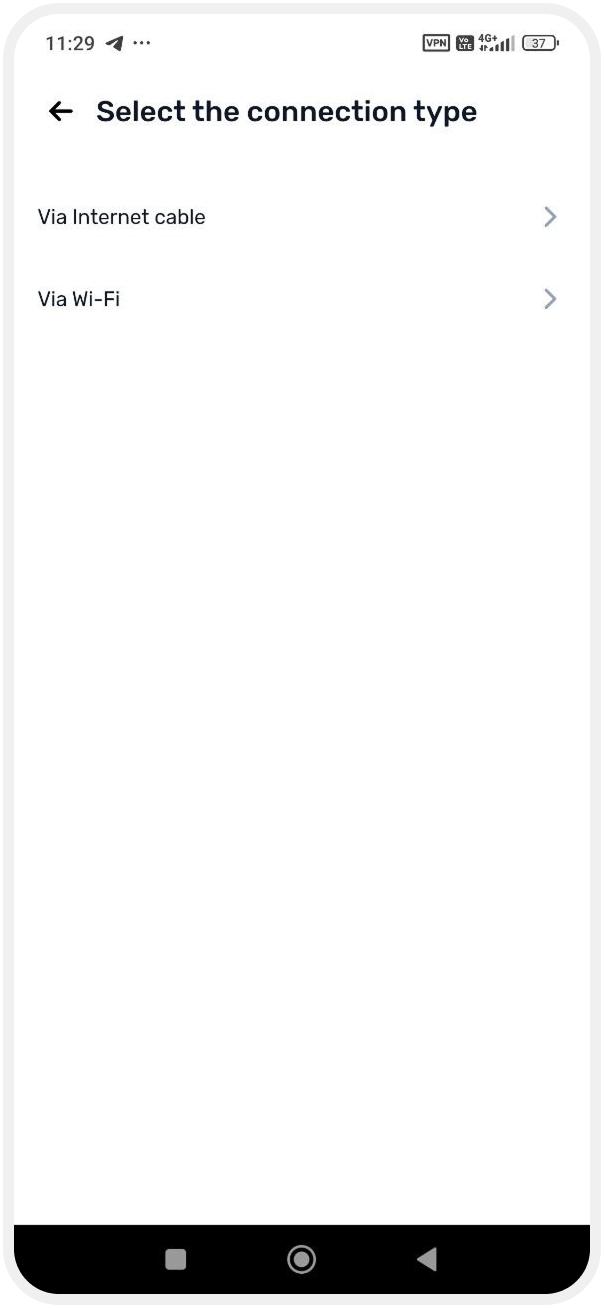
4. Choose the connection type: Wi-Fi (wireless connection)
Preparing the camera
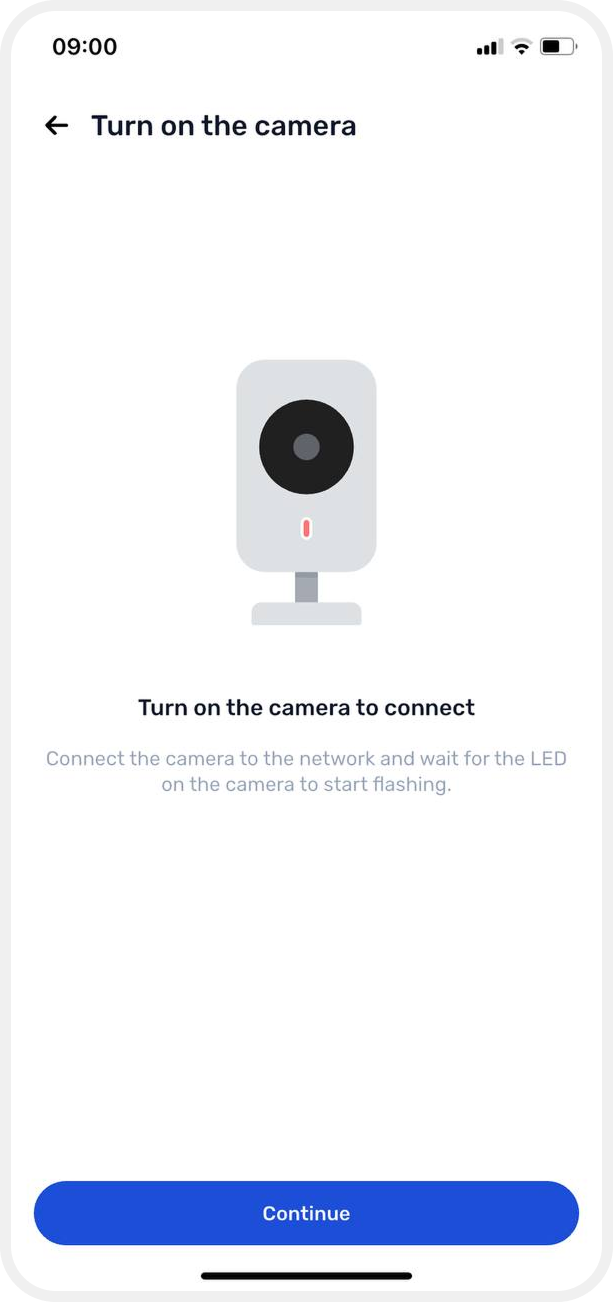
5. Turn on the camera, connect it to power, and wait until the indicator starts blinking
Then tap Continue.
Adding the camera
6. Enter the camera details, including the serial number
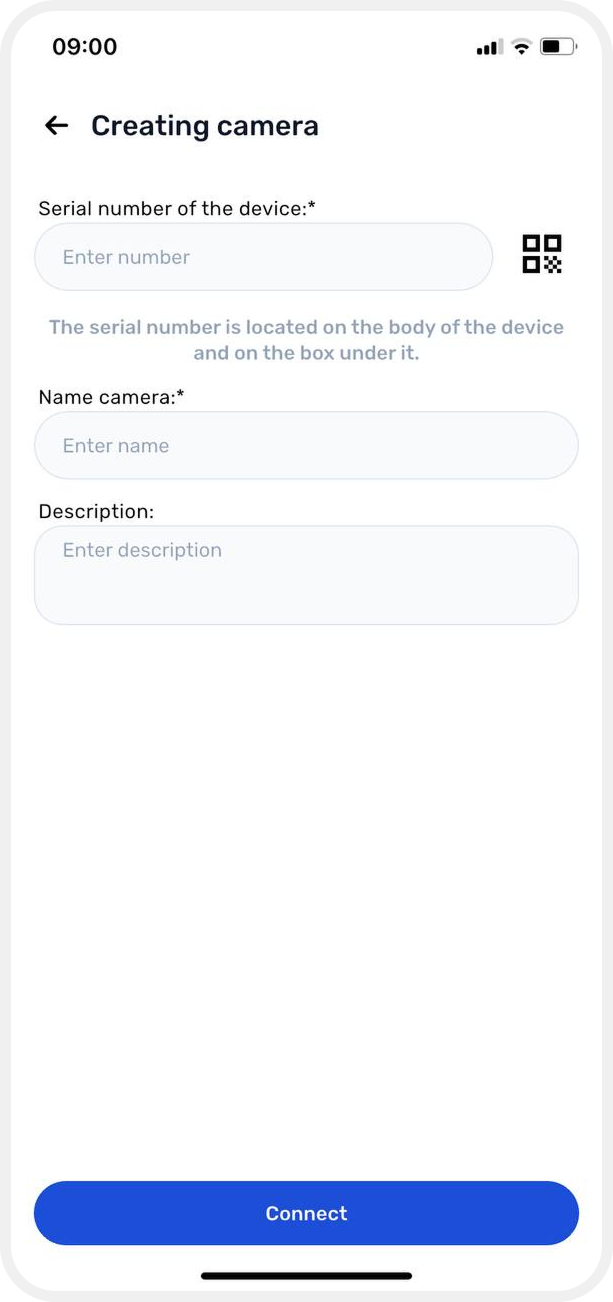
You can simplify this step by scanning the QR code on the camera — the serial number will be filled in automatically.
To do this:
— tap the QR code icon
— point your phone camera at the device QR code
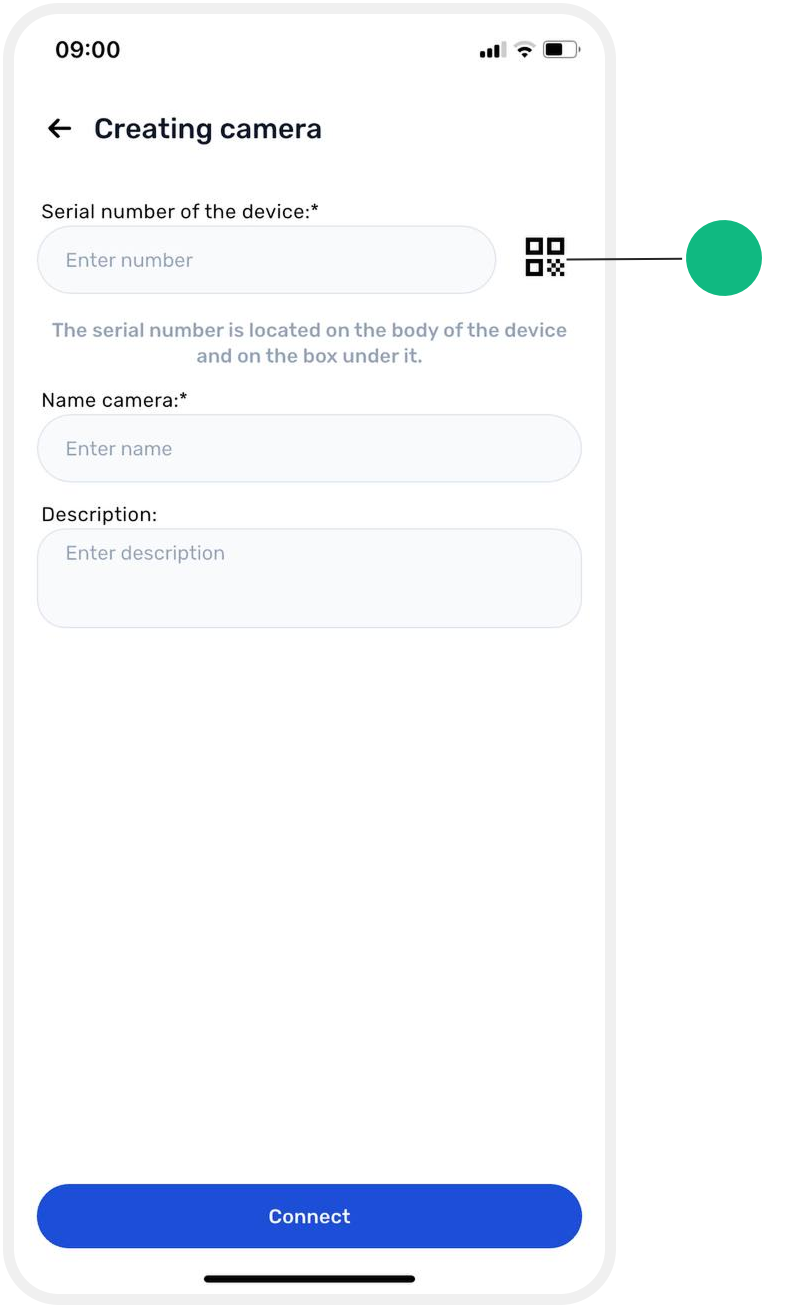
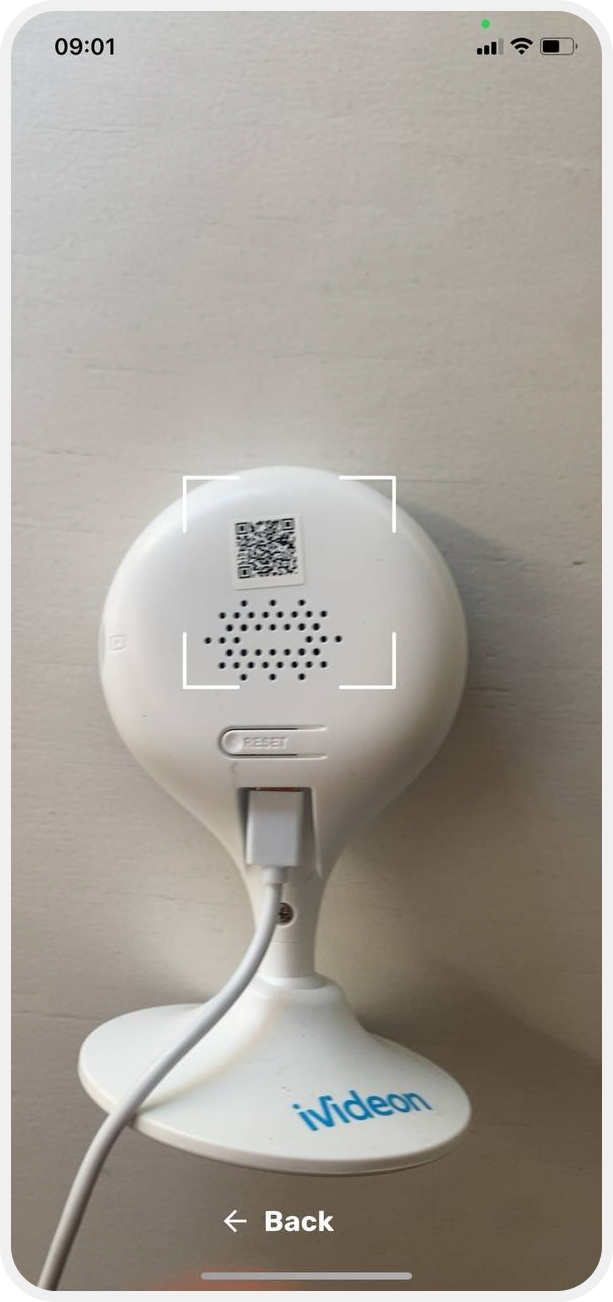
7. Enter the camera name and description, then tap Connect

Connecting to Wi-Fi
8. Connect to your Wi-Fi network:
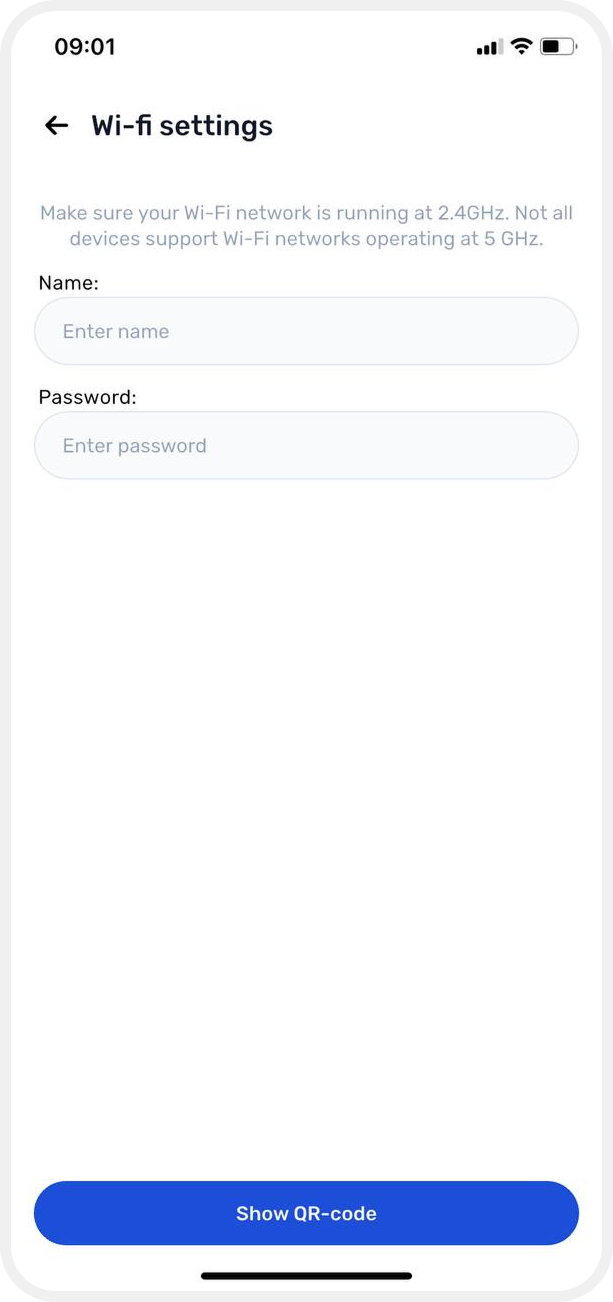
— make sure the network runs on 2.4 GHz
— the camera should be within 5 meters of the router
— the router must have internet access
— enter the Wi-Fi name and password
9. Tap Show QR code

Completing setup
10. A QR code will appear on the screen. Hold it in front of the camera lens at a distance of 15–30 cm
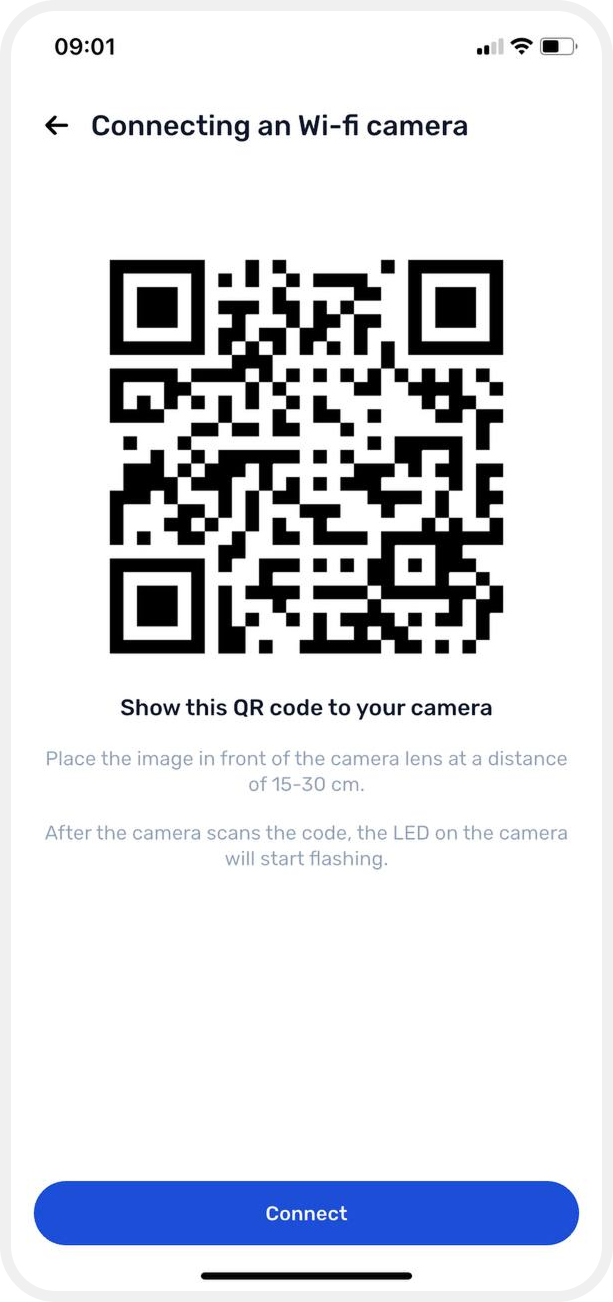
If scanning is successful, the camera indicator will start blinking.
Once setup is complete, the camera will appear in the device list and you can immediately start viewing the live stream.
Camera models supporting QR code setup
During setup, the app generates a QR code with your Wi-Fi settings. Simply show it to the camera — after scanning, it will automatically connect and complete setup.
The following models (and their variants) support QR code provisioning:
— Ivideon: Cute, Cute 2, Cute 360, Cute 3, Cute 4, Cute 4L, Cute 4LS
— Ivideon Solaris 360/L
— Ivideon Leo 360
— Ivideon V Pictor
— Oco: Oco 1, Oco 2, Oco Simple, Oco HD, Oco Motion
— Nobelic: NBQ-1110F, NBQ-1210F, NBQ-1210F/b, NBQ-1310F, NBQ-1410F, NBQ-4100F
— Dahua A15P