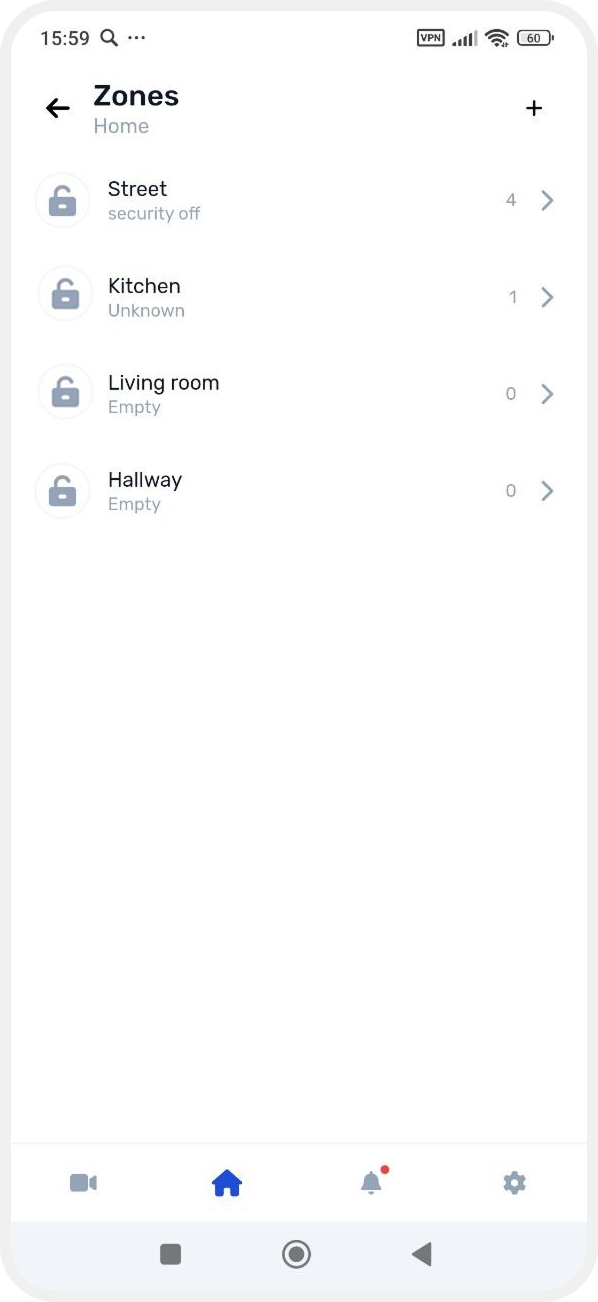
How to create a zone
Only administrators and the site owner can create zones.
To create a new zone:
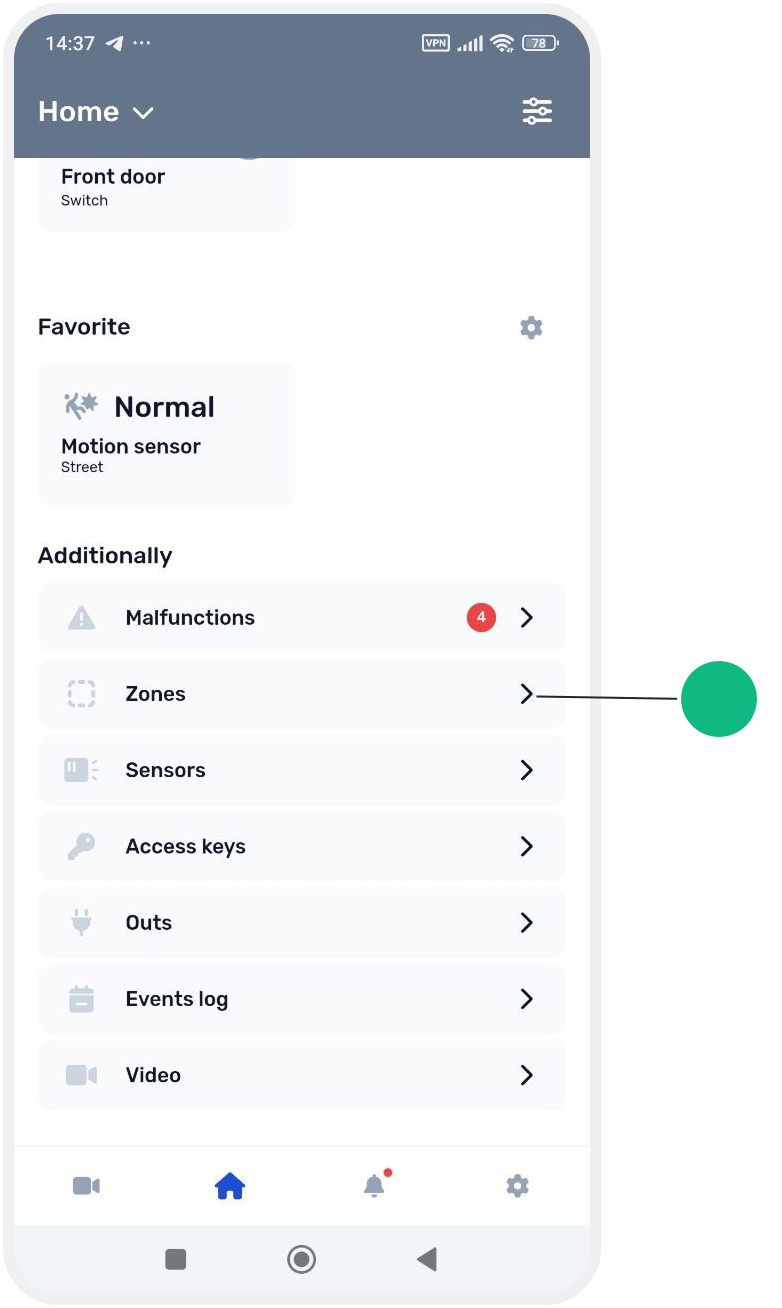
1. Open the Zones tab on the main screen
2. The list of all site zones will appear
Tap the Add button  in the top-right corner of the screen
in the top-right corner of the screen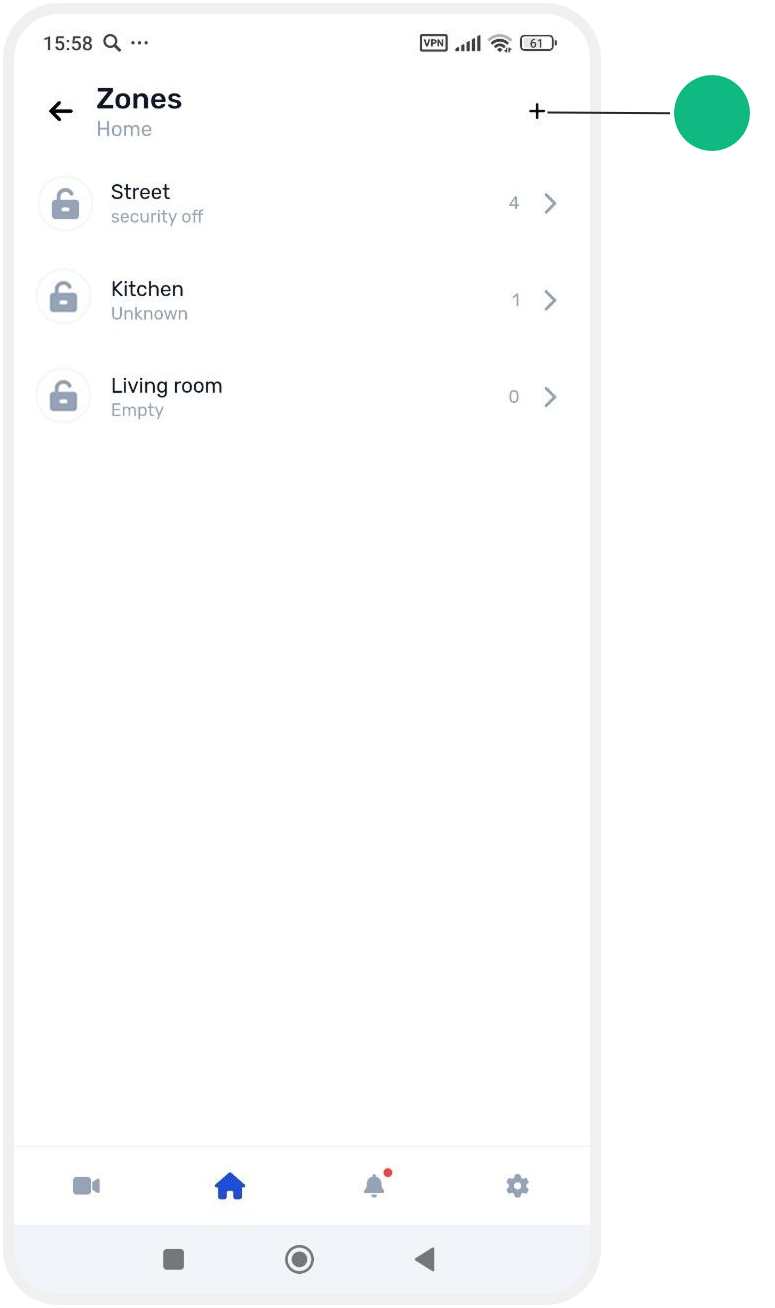
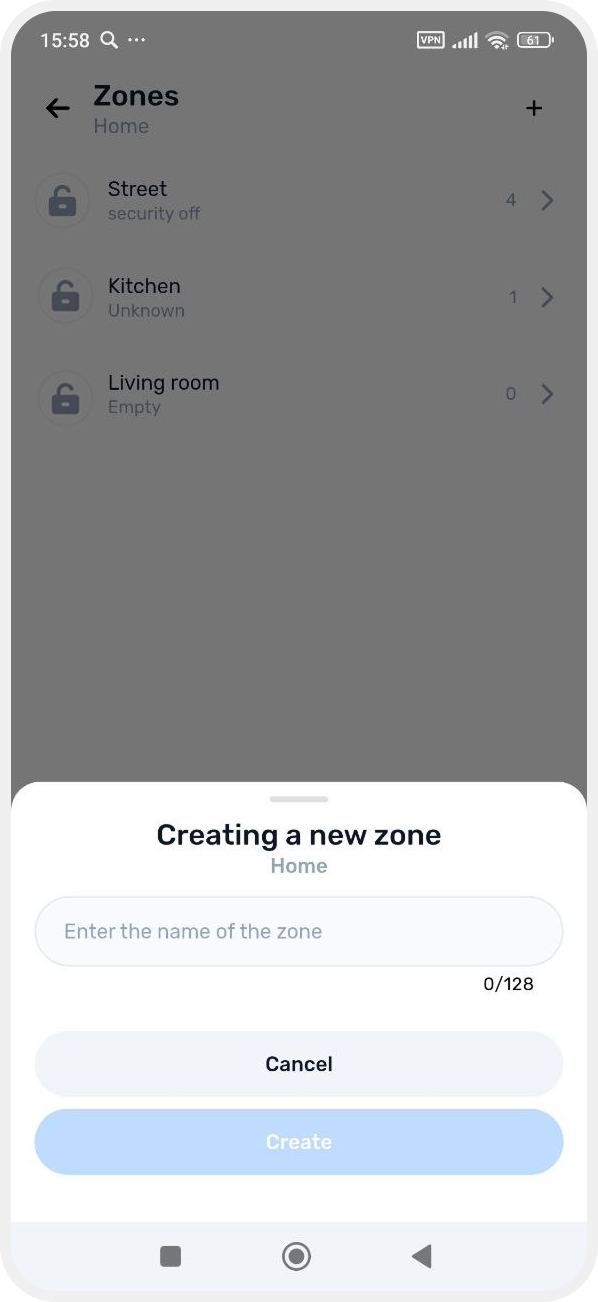
3. Enter the zone name and tap Create
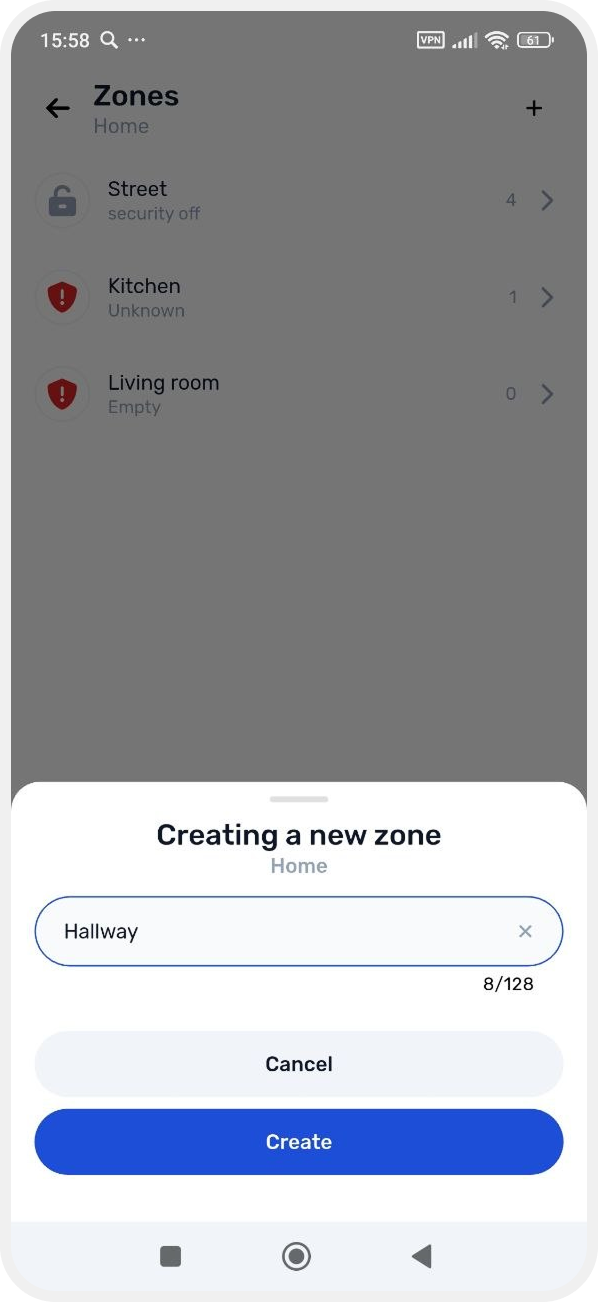
4. After creation, the zone settings screen will open, where you can:
— add devices
— configure zone parameters
— rename the zone and adjust other settings
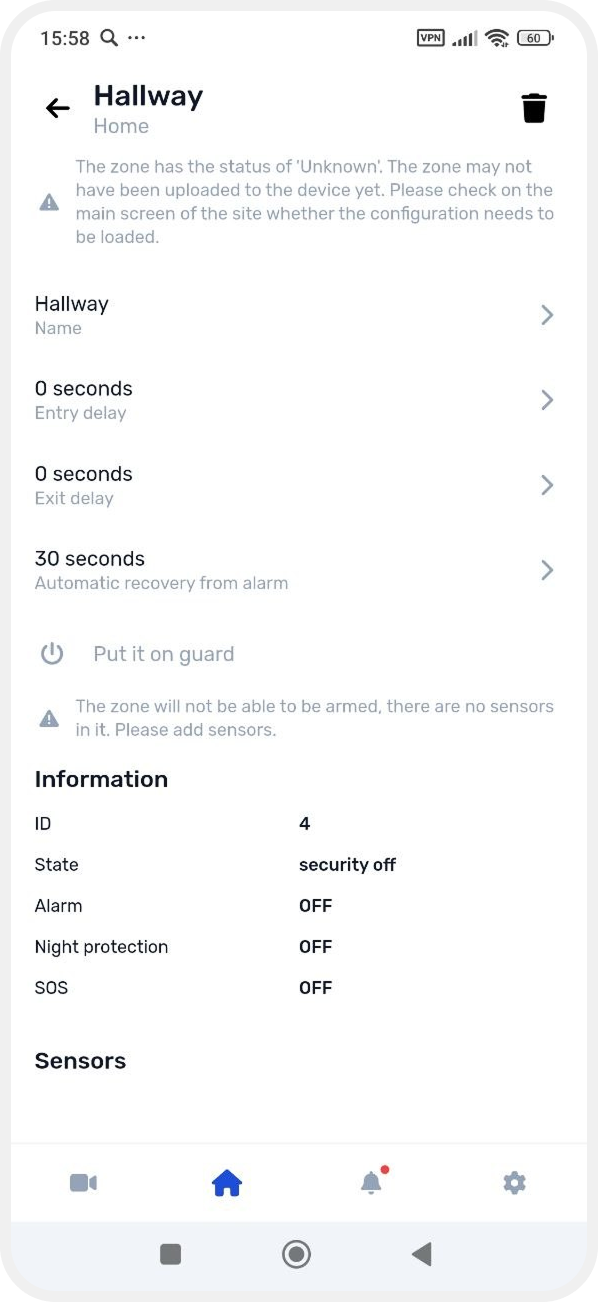
The newly created zone will also appear in the general list of site zones.