How to delete a widget
If you no longer need a widget, you can remove it from the main site screen.
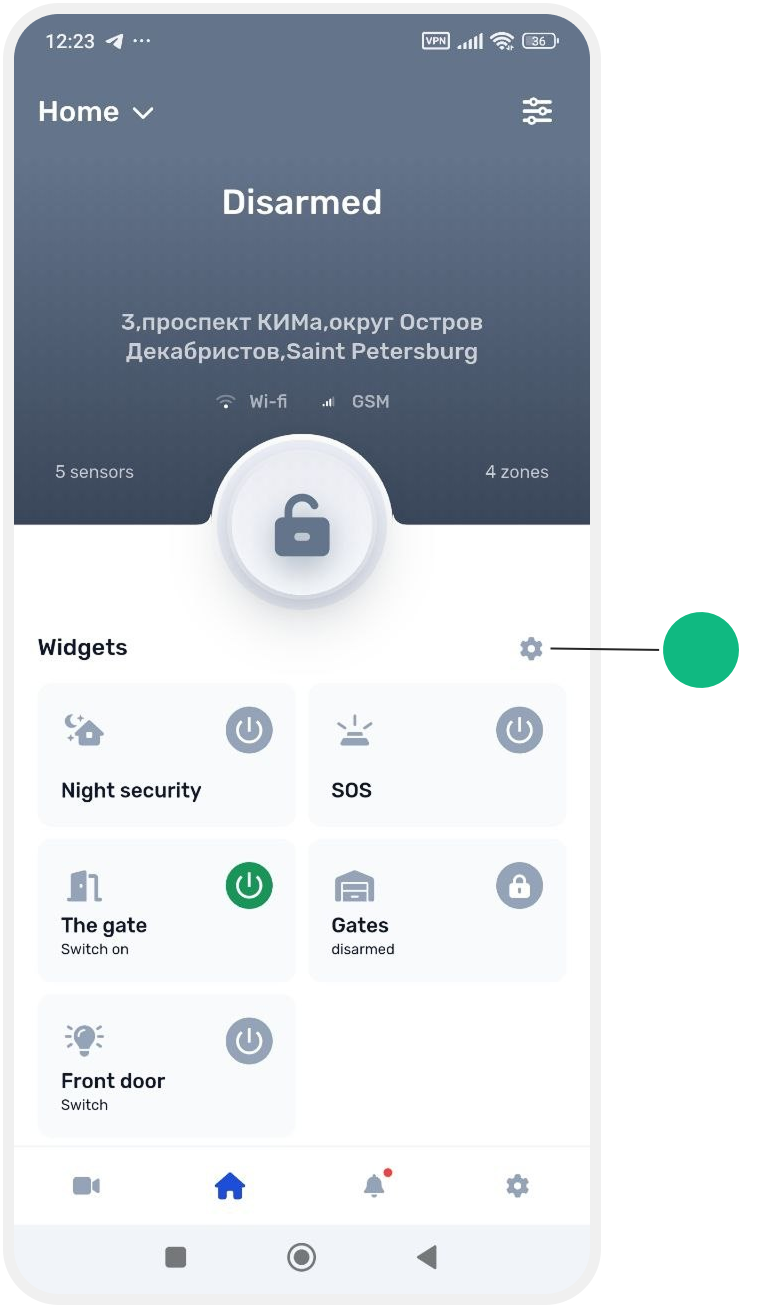
1. On the main site screen, tap the gear icon above the pinned widgets
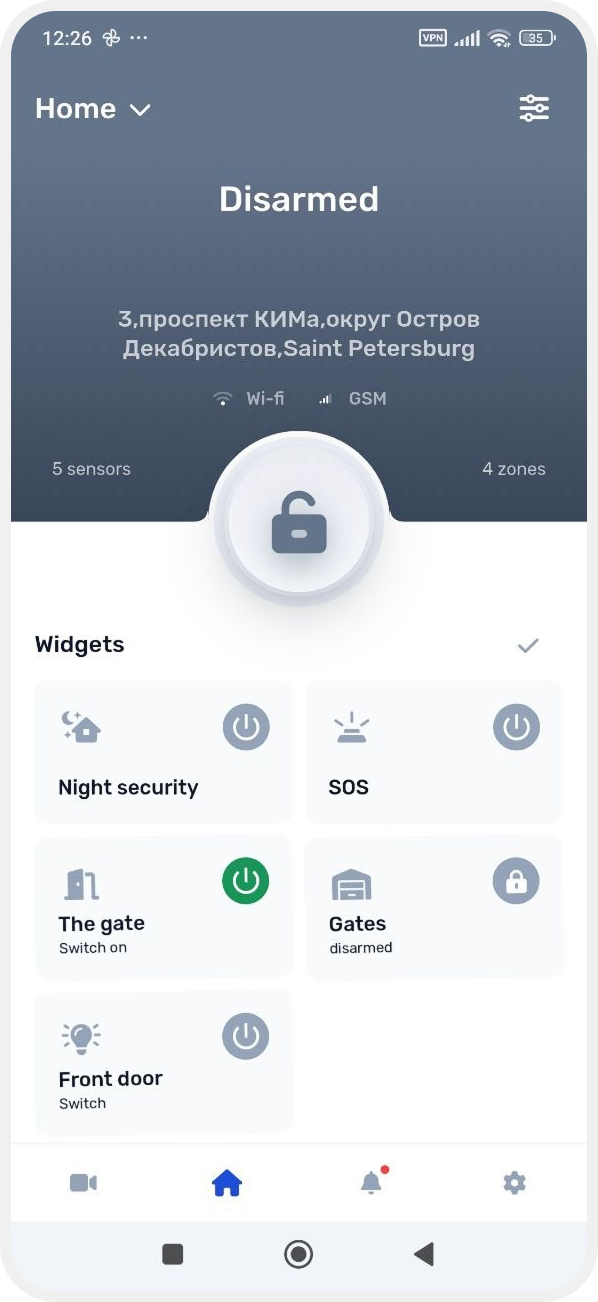
2. Tap the widget you want to delete
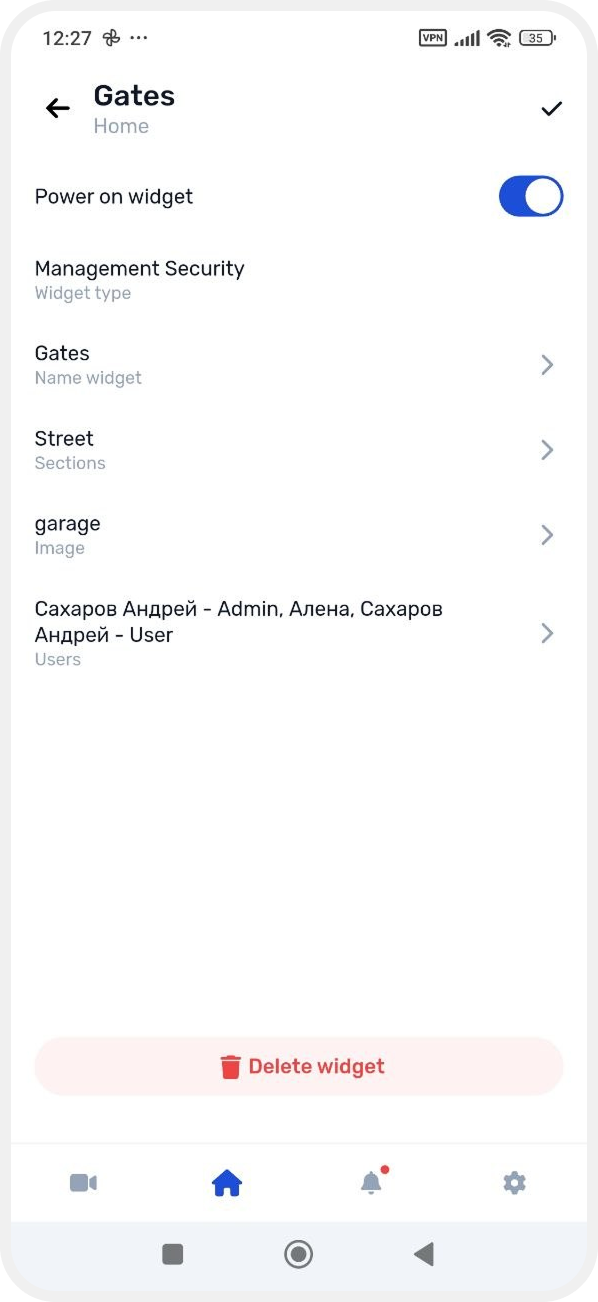
3. On the widget settings screen, tap Delete widget at the bottom
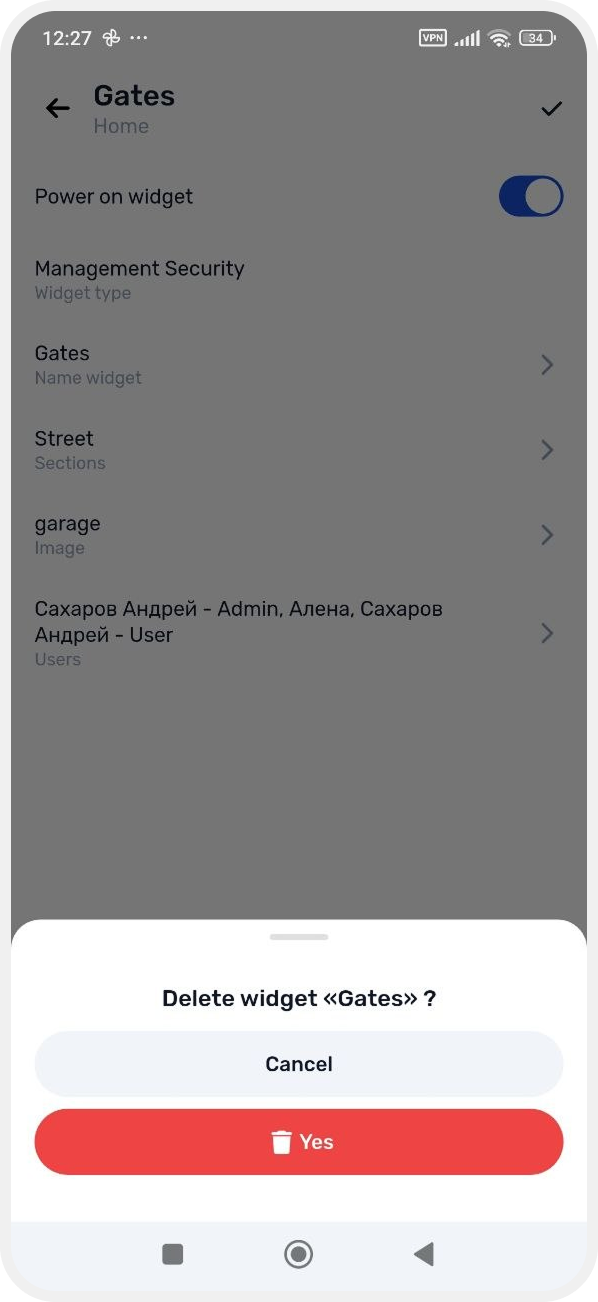
4. Confirm the action — the widget will be removed from the main site screen