How to enable a sensor
After adding a wireless sensor, you need to enable it before it can start operating in the system.
Enabling a sensor
1. Open Site settings
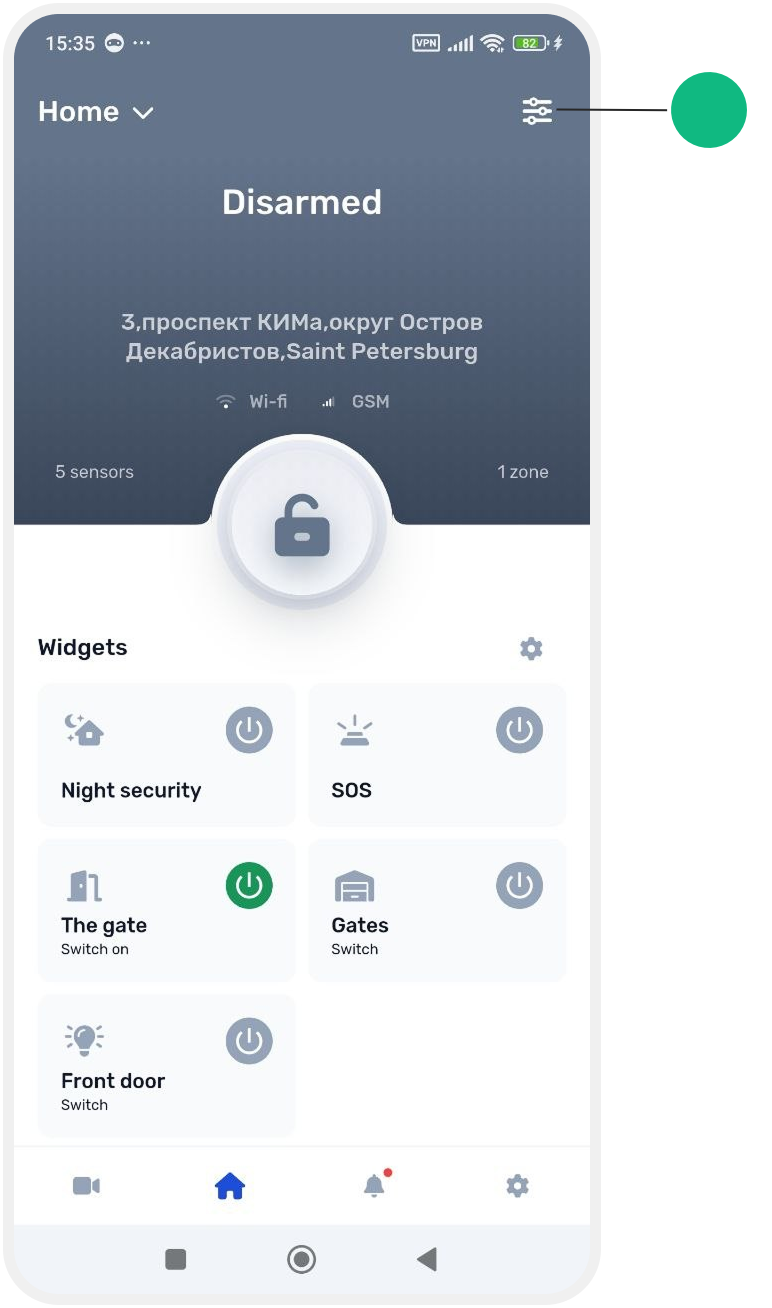
2. Open the Hub card

ll devices connected to the hub are displayed here.
3. In the Sensors section, select Wireless sensors

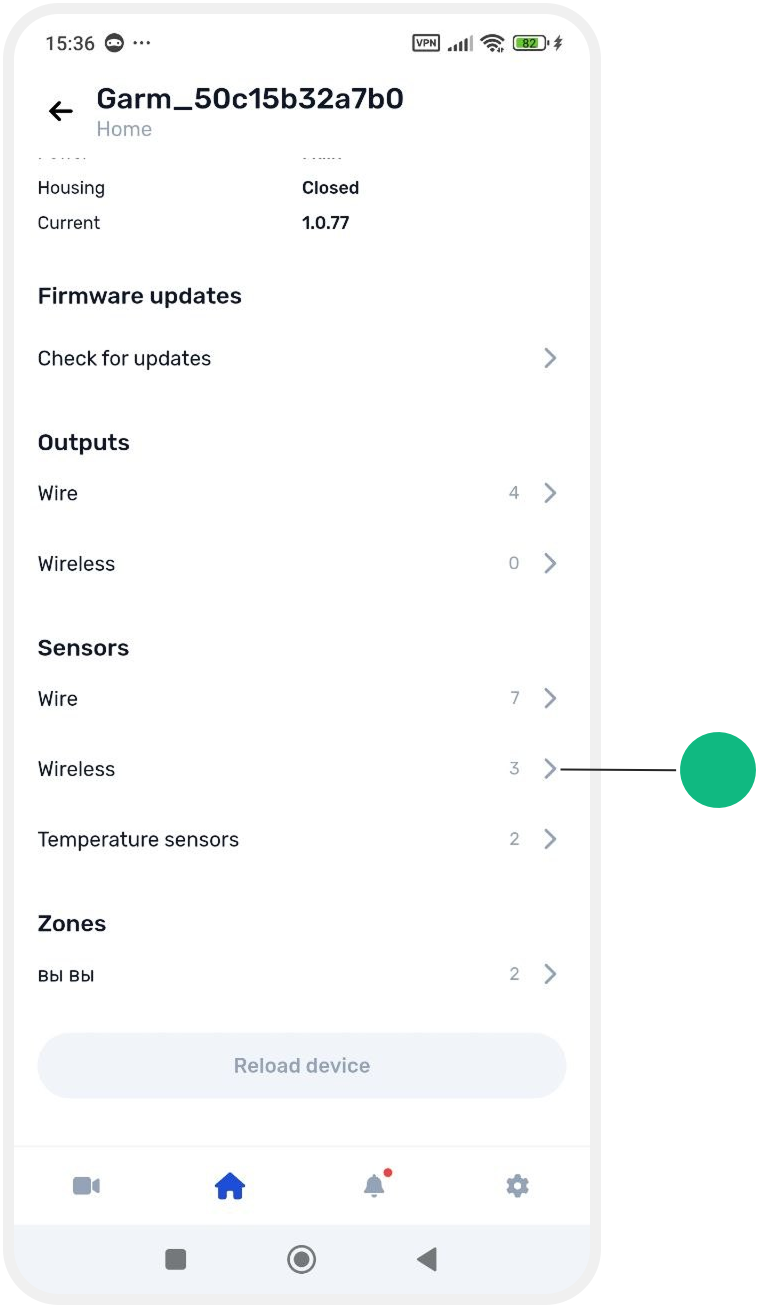
A list of all added wireless sensors will open.
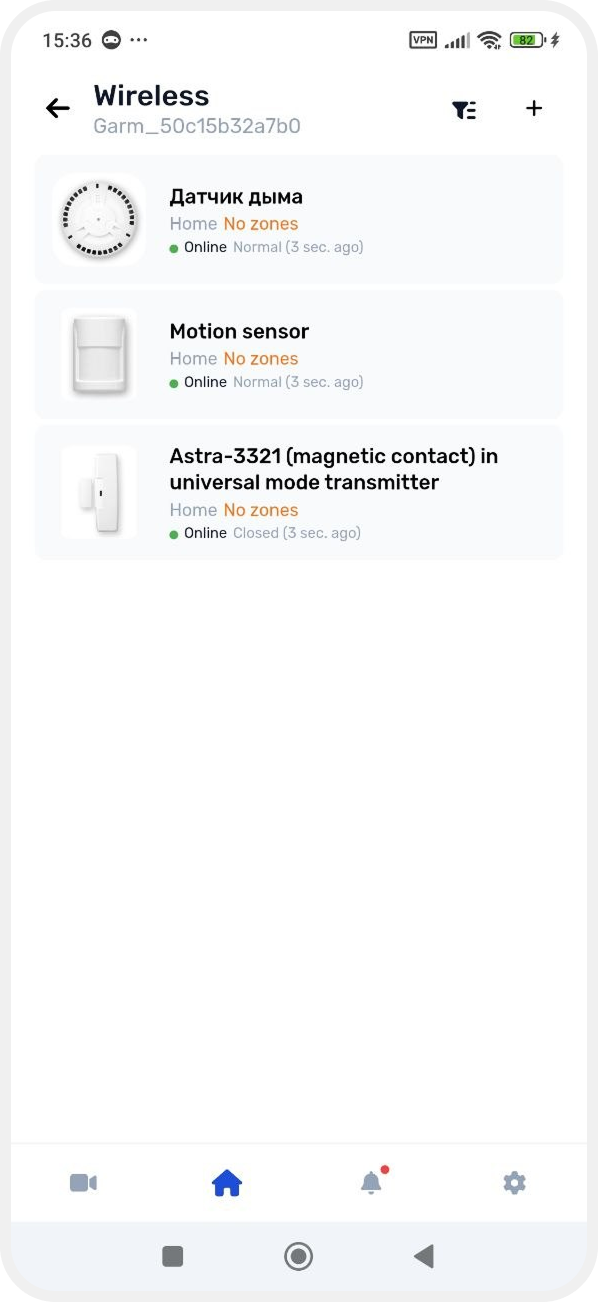
4. Select the required sensor
5. Turn on the Enable sensor switch
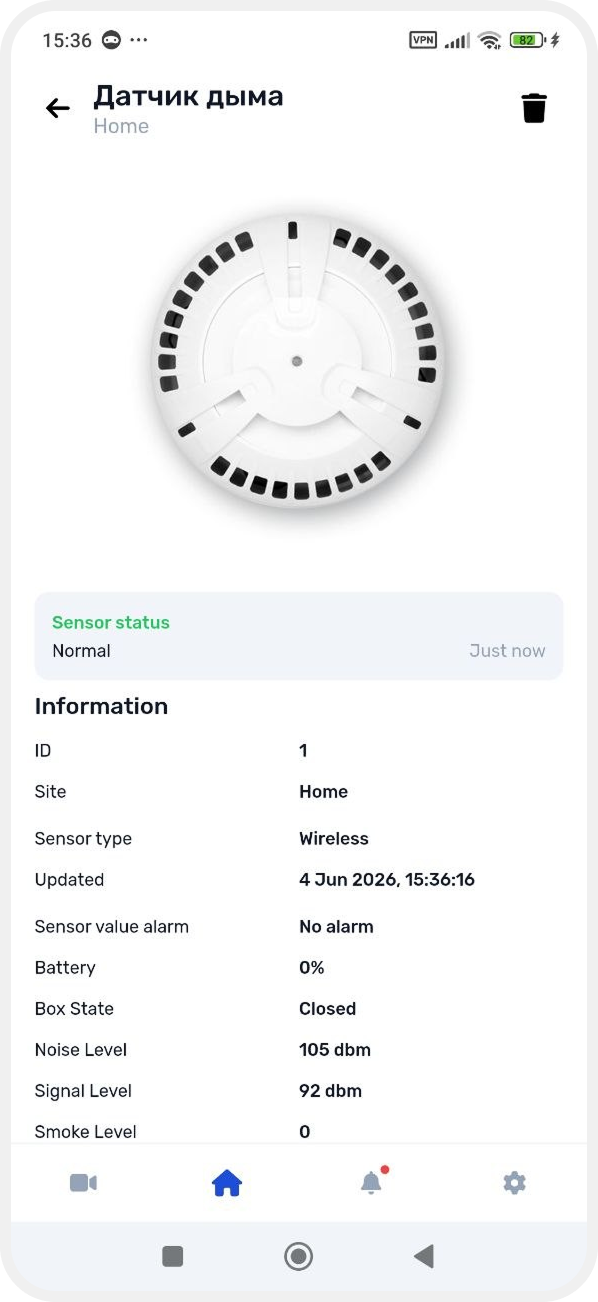
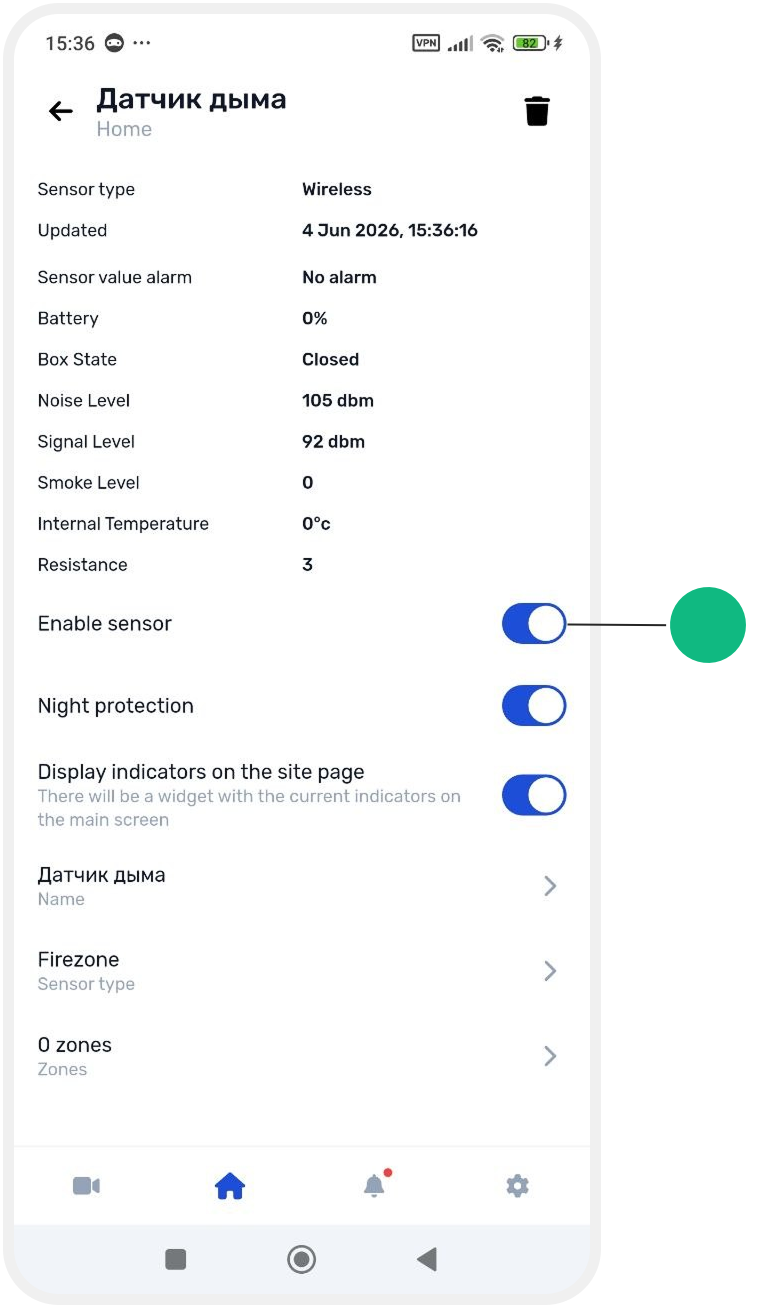
Once enabled, the sensor will begin operating and participating in system events and security functions.
Disabling a sensor
To disable a sensor:
1. Follow the same steps as above
2. Open the required sensor card
3. Turn off the Enable sensor switch
After a sensor is disabled, it will no longer participate in system operation until it is enabled again.