How to enable night mod
Night mode is a security mode in which the system monitors only selected sensors. It is usually used at night to protect the perimeter of the premises, such as doors and windows, while still allowing free movement inside the site.
In night mode, only sensors that meet both conditions will work:
— the night mode function is enabled for the sensor
— the sensor is assigned to a zone
If a sensor is not assigned to a zone, it will not participate in night mode even if the function is enabled in its settings.
To include a sensor in night mode
1. Open the sensor settings
2. Enable the night mode function
3. Make sure the sensor is assigned to the required zone

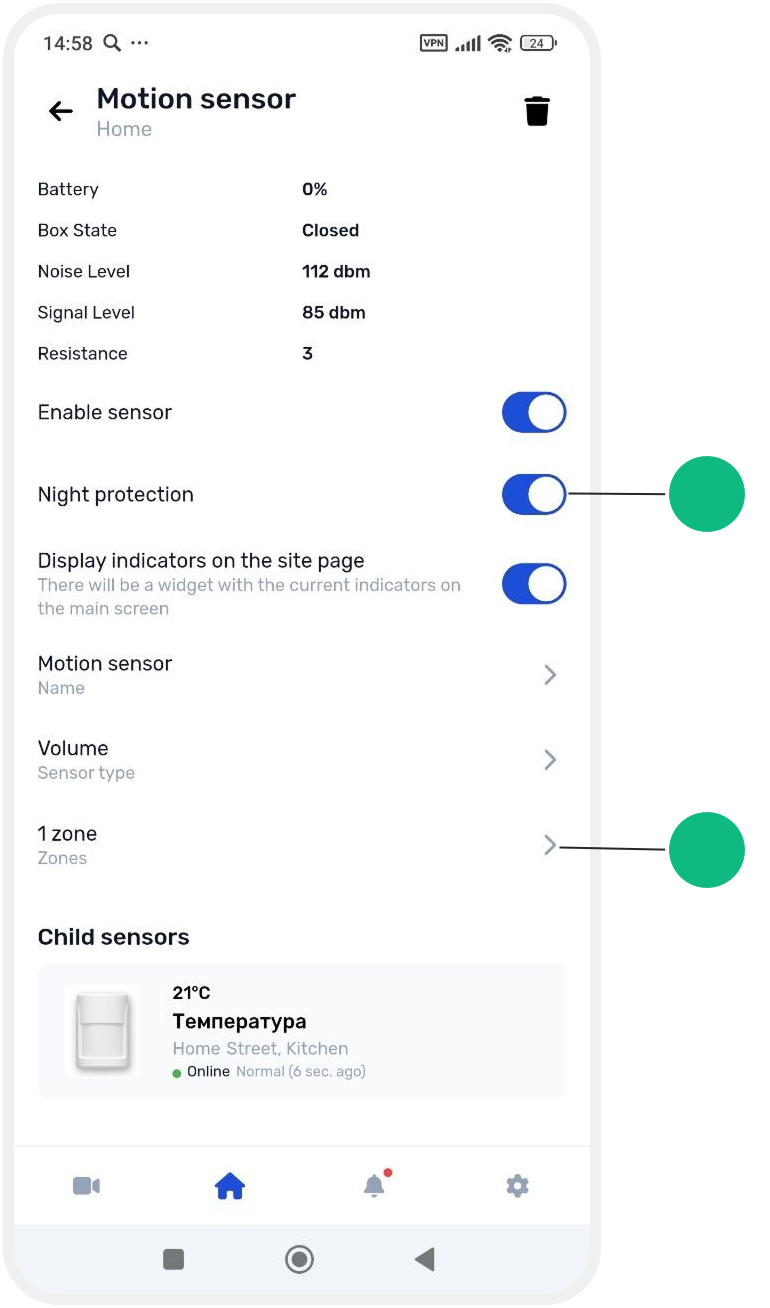
How to enable night mode
1. Open the main screen of the site
2. Find the night mode widget
The night mode widget is pinned to the main screen by default.
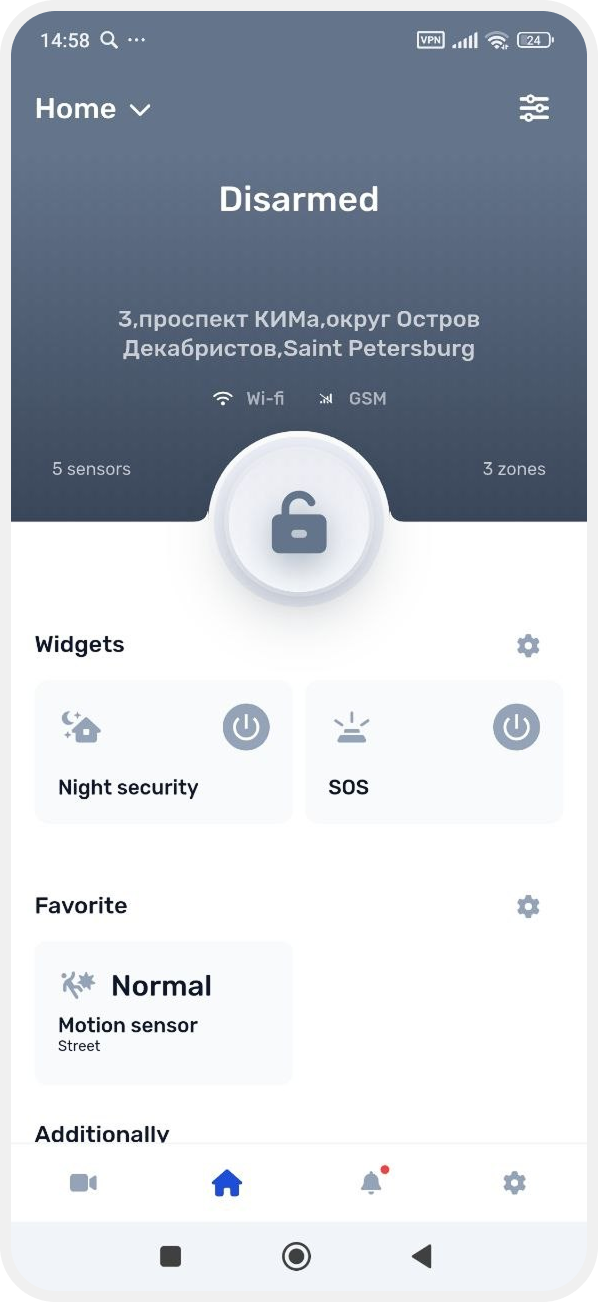
3. Tap the widget:
• to enable night mode — the button color will change from gray to blue, and the site status will become night mode

• to disable night mode — tap the widget again, the button will turn gray, and the security mode will be disabled