How to invite a user
You can grant access to people you trust so they can help manage the site.
Only the site owner and site administrators can send invitations.
|
To invite a new user
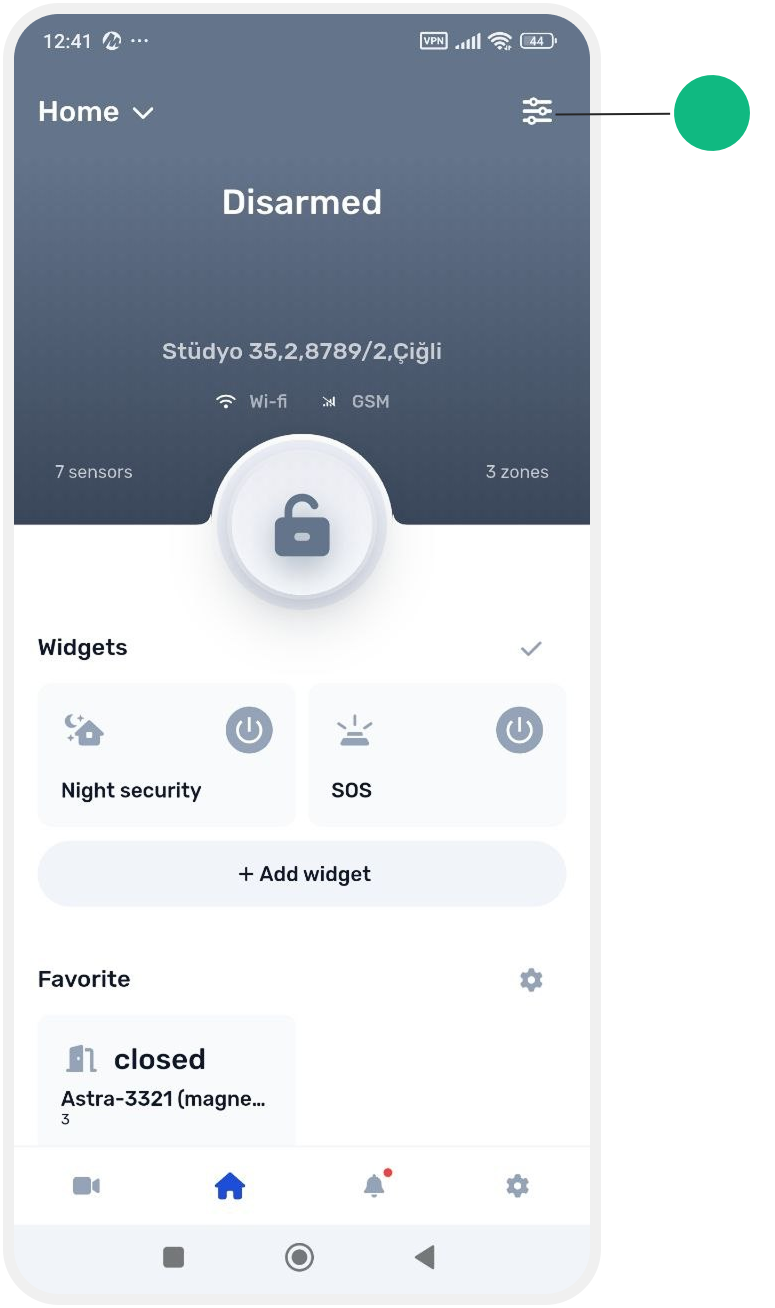
1. Open Site settings and go to the Users section
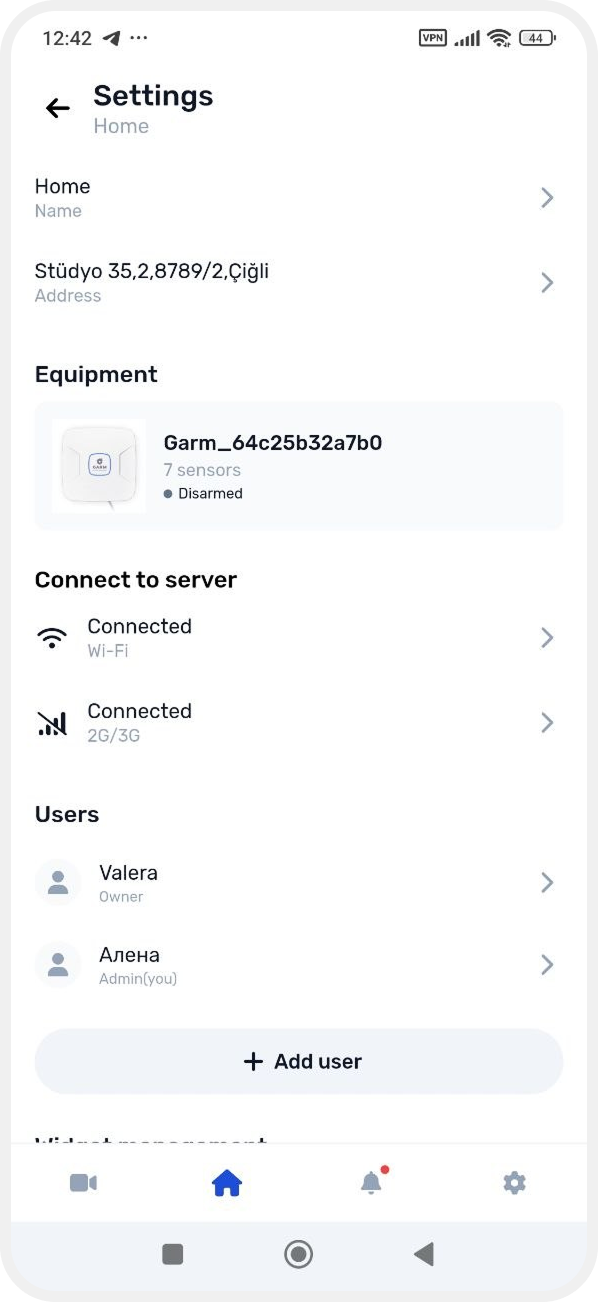
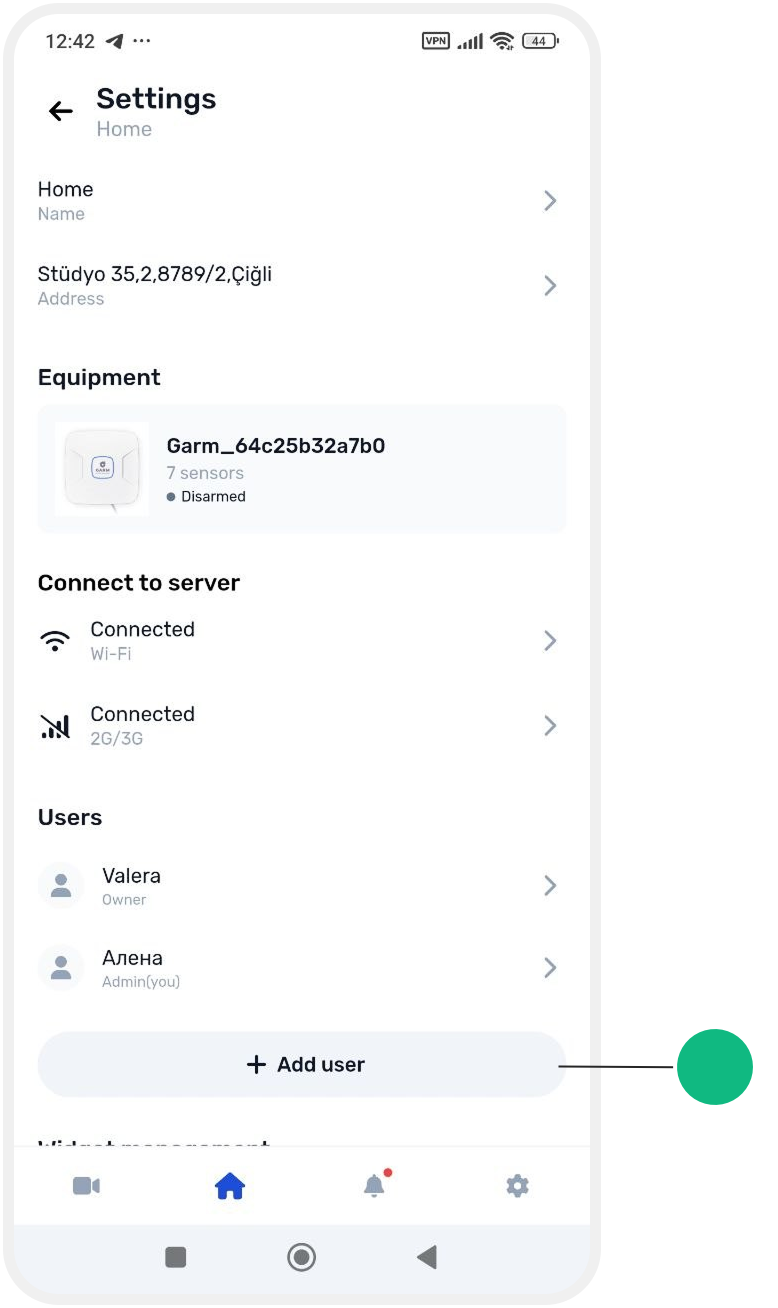
2. Tap Add user
3. Enter the email address of the person you want to invite

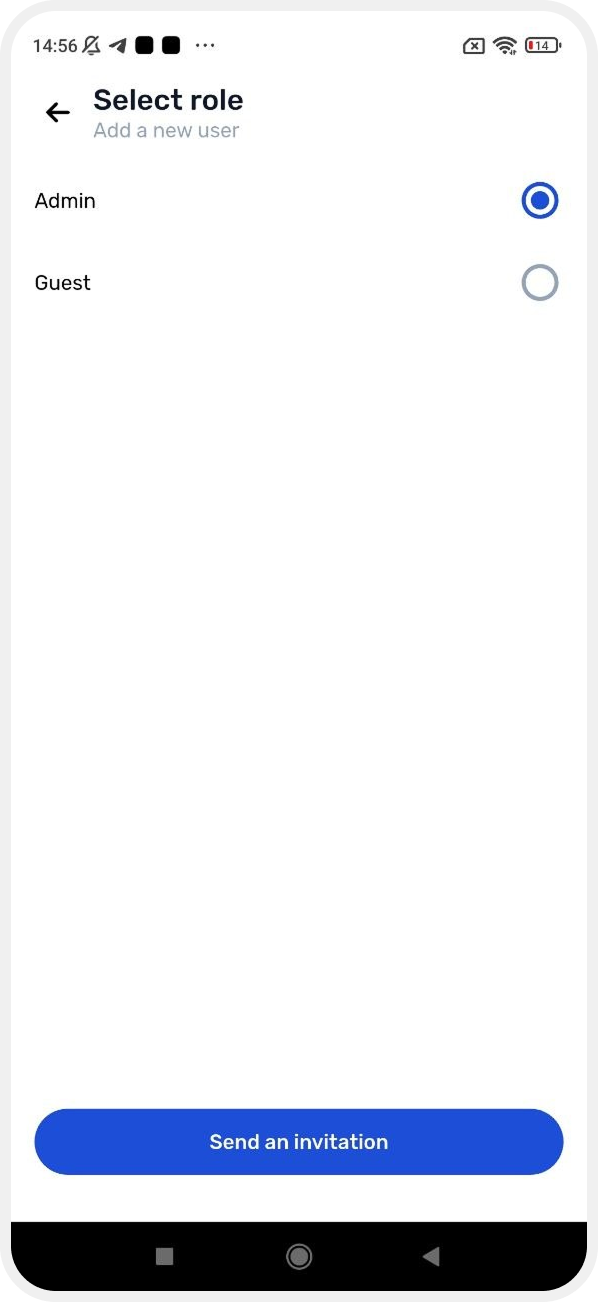
4. Select a role for the user — Administrator or Guest
5. Configure the user's permissions using the available switches
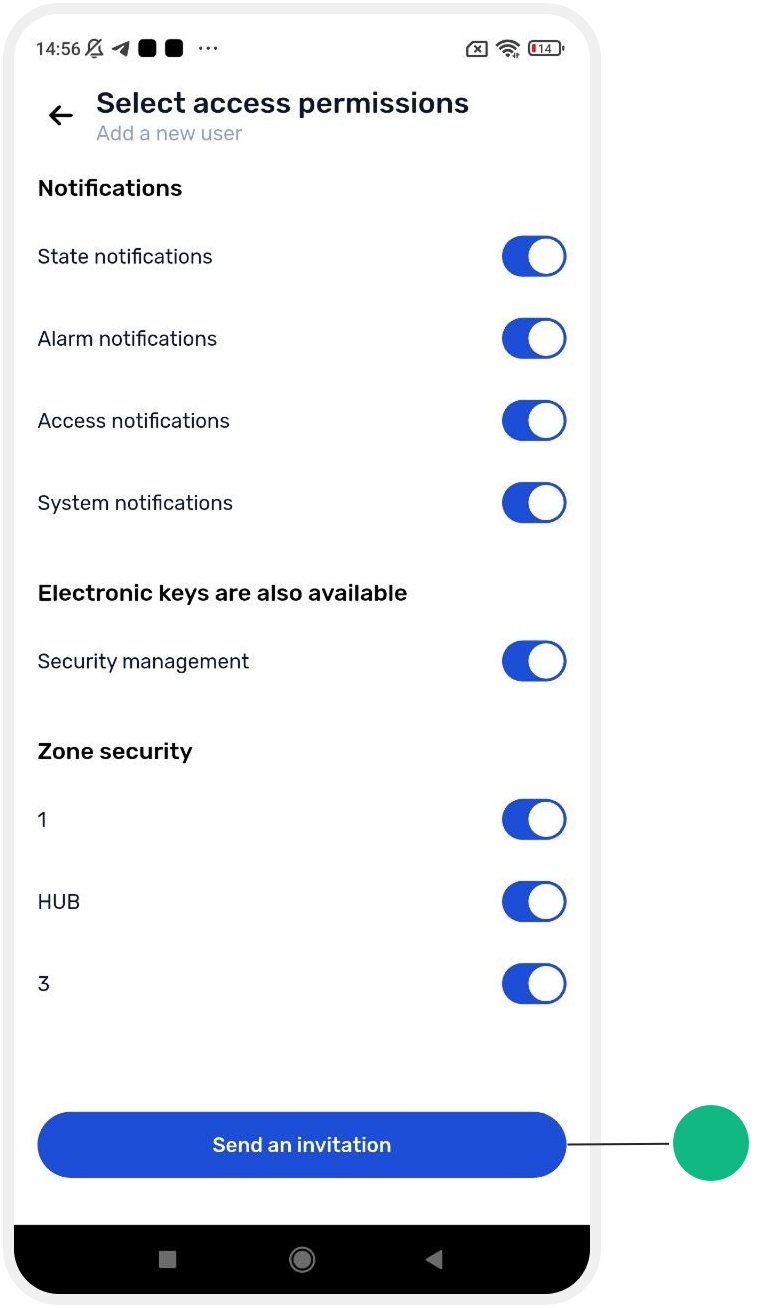
6. Tap Send invitation

After the invitation is sent, the user will receive an email at the specified address.
If the GARM app is not yet installed on their device, the email will include instructions to download the app and create an account.
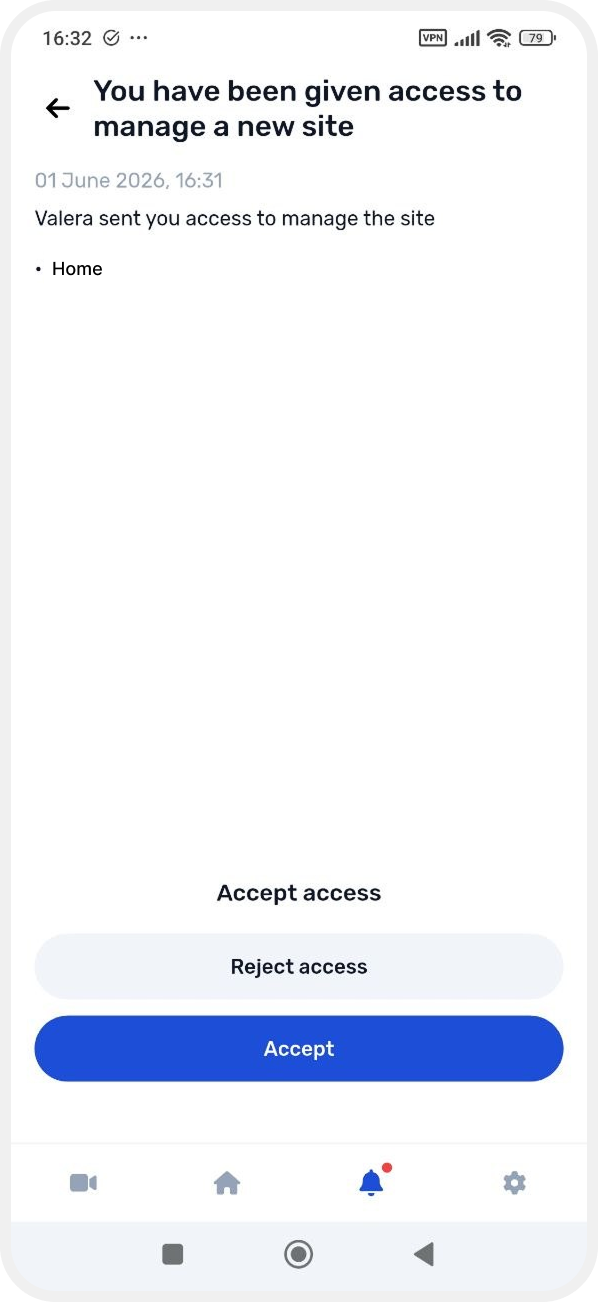
If the user already has the app installed, the invitation will appear in the Events section. The user must tap Accept to join.
Once accepted, the site will appear in their site list and become available on the main screen.