Malfunctions
The Malfunctions tab displays all current issues and technical events in the GARM system that require your attention.
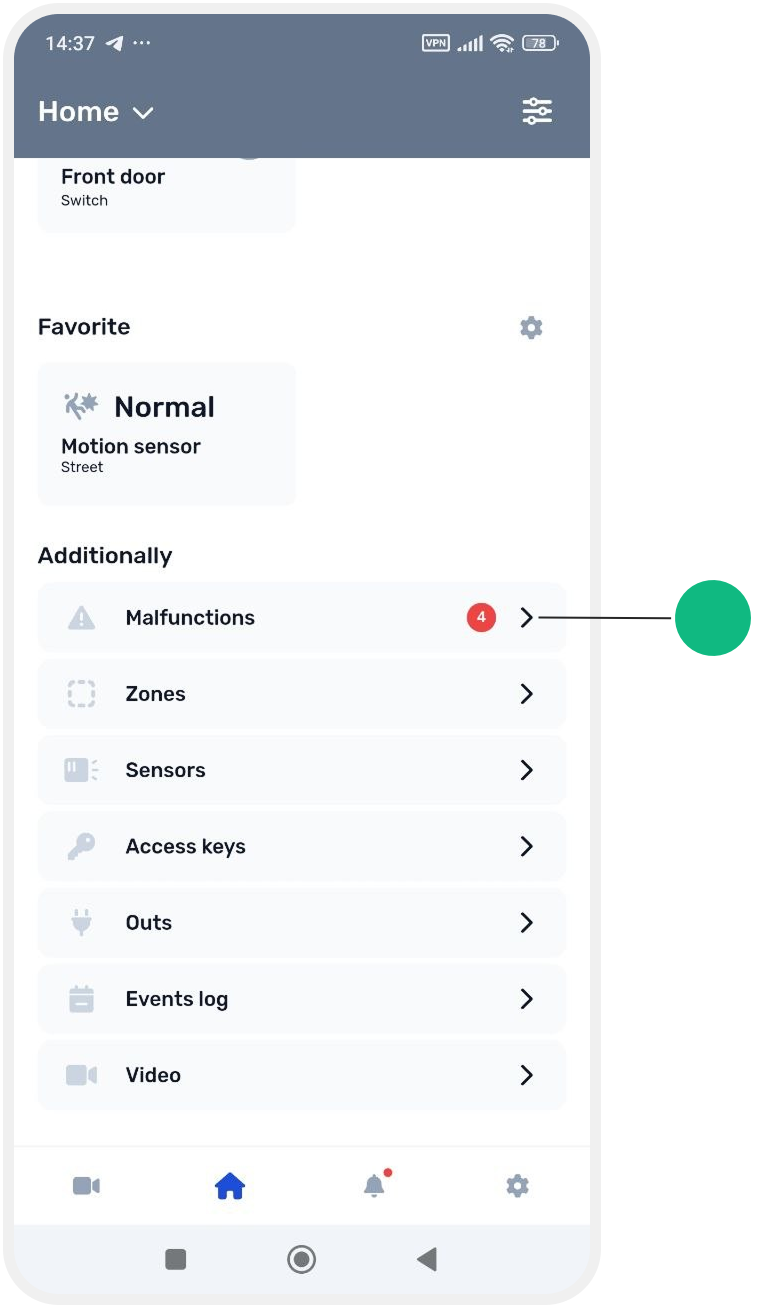
To open this tab, go to the main screen of the site and navigate to Additionally → Malfunctions.
Types of мalfunctions
In the faults list, you may see:
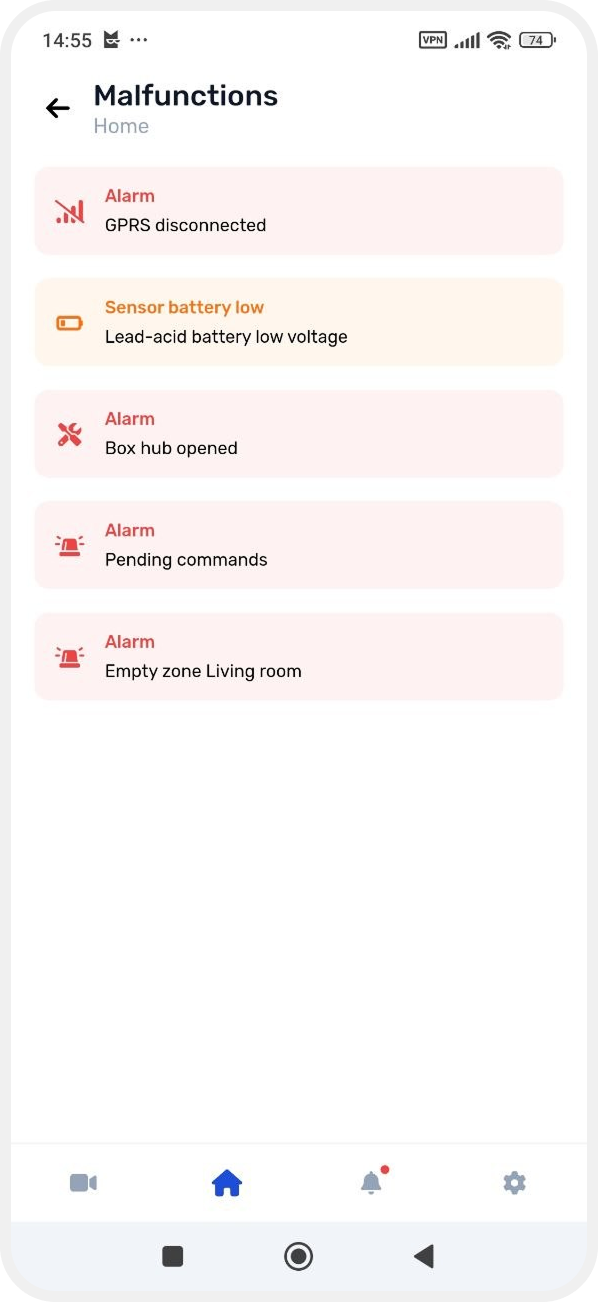
Device or sensor connection loss
A device is temporarily unavailable or not transmitting data. Possible reasons include a low battery, communication interference, or the device being turned off.
Wi-Fi connection loss
The hub has lost connection to the Wi-Fi network. Check the router and internet connection.
GPRS connection loss
Mobile communication through the SIM card is unavailable. Check the SIM card balance, signal quality, and whether the SIM card is properly installed in the hub.
Low battery
The battery of a sensor or the hub is low and requires replacement.
Low external power voltage
The device is receiving insufficient power from the electrical network. Check the power adapter connection and the power supply.
Low backup battery voltage
The hub backup battery is discharged and needs recharging or replacement.
Connection errors
There are problems with the network or data transmission between devices and the system.
Enclosure tamper
The system detected that the hub or sensor enclosure has been opened. Check the device and make sure the enclosure is properly closed.
Fire alarm
A fire detector has been triggered or an alarm has been detected in a fire zone. Check the site and make sure there is no danger.
Empty zones (zones without sensors)
The zone does not contain any sensors. Such zones will not be included when arming the site. Add the required sensors to the zone.
What to do if a fault appears
If you see a мalfunction:
1. Open the required fault in the list
2. Check the cause of the issue
3. If necessary, resolve the problem (for example, replace the battery, check the power supply, or restore the connection)