Widgets
Widgets are interactive control elements that help you quickly interact with your security system directly from the main app screen.
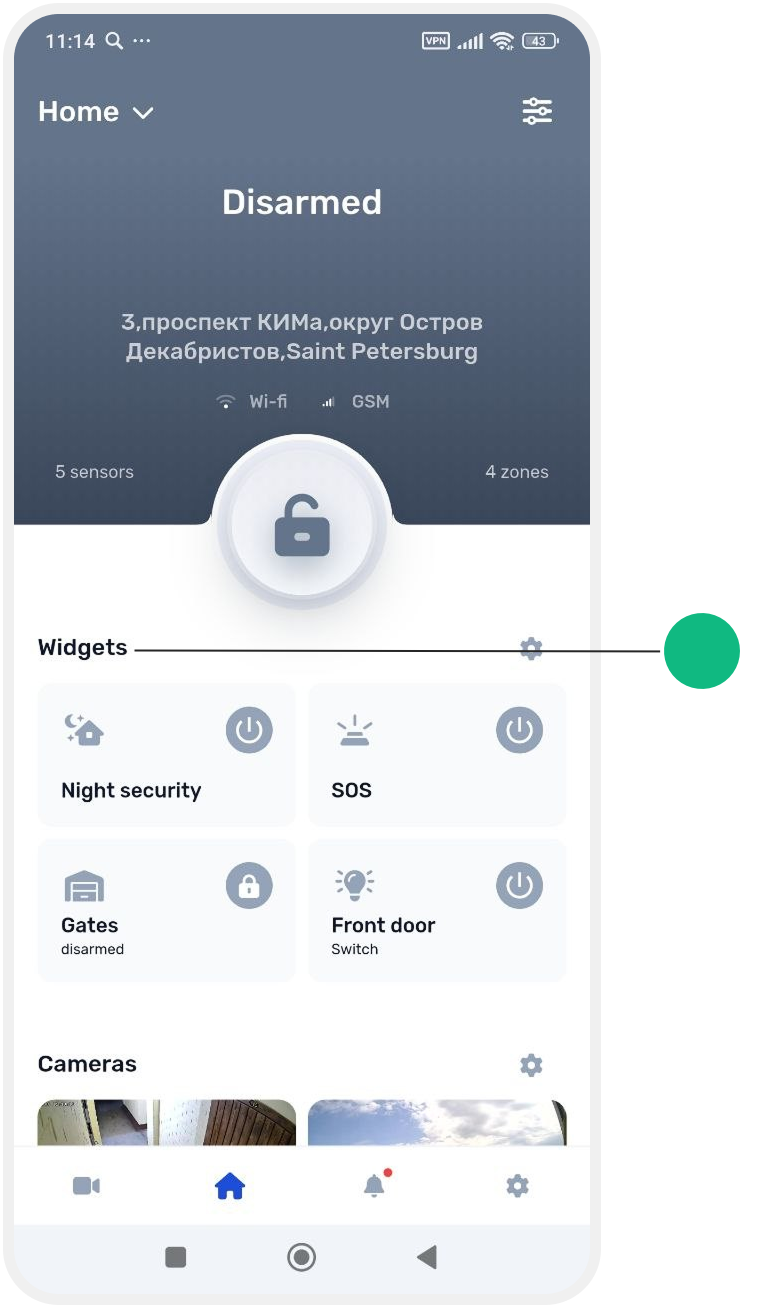
They allow you to:
-
arm and disarm the system
-
control locks, sirens, lighting, and other devices
-
quickly check the Site status without navigating to other sections
Default widgets
The Night security and SOS widgets are added by default.
They always appear first on the main screen.
All other widgets can be added manually depending on your needs.
Customizing widgets
You can personalize the screen layout:
-
add new widgets
-
rearrange them in any order
-
change their position at any time
To reorder widgets, simply press and hold a widget, then drag it to the desired position on the screen.
In this section, you will learn how to:
-
create and configure widgets
-
pin them to the main screen
-
manage and use them effectively