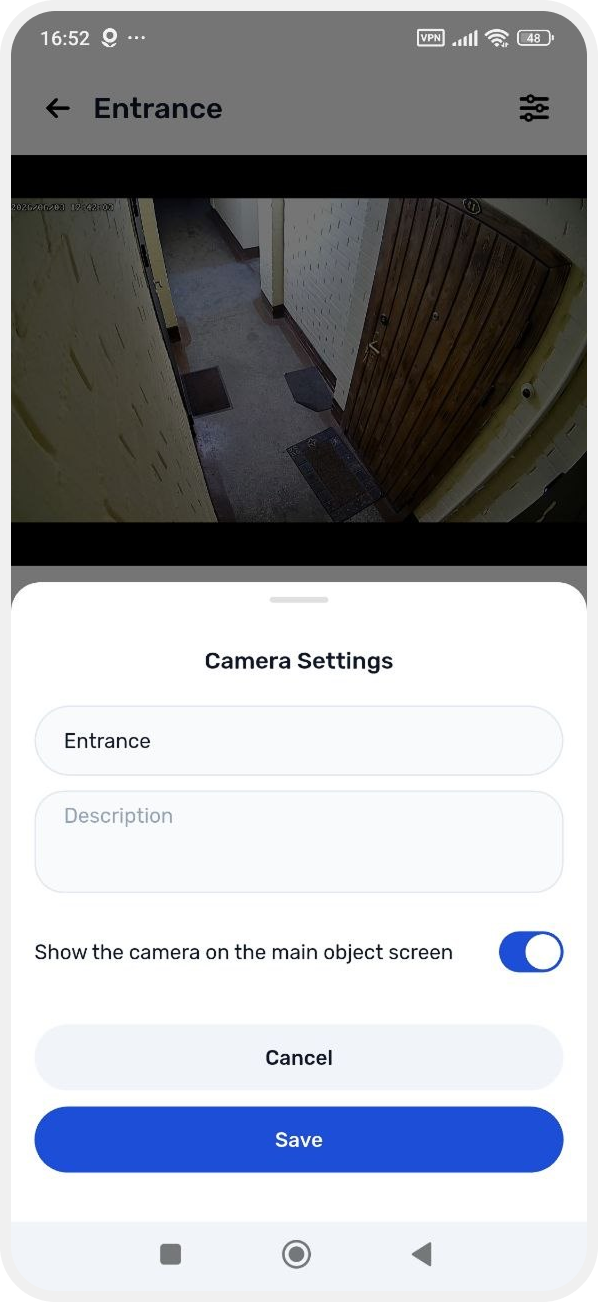
Favorite cameras
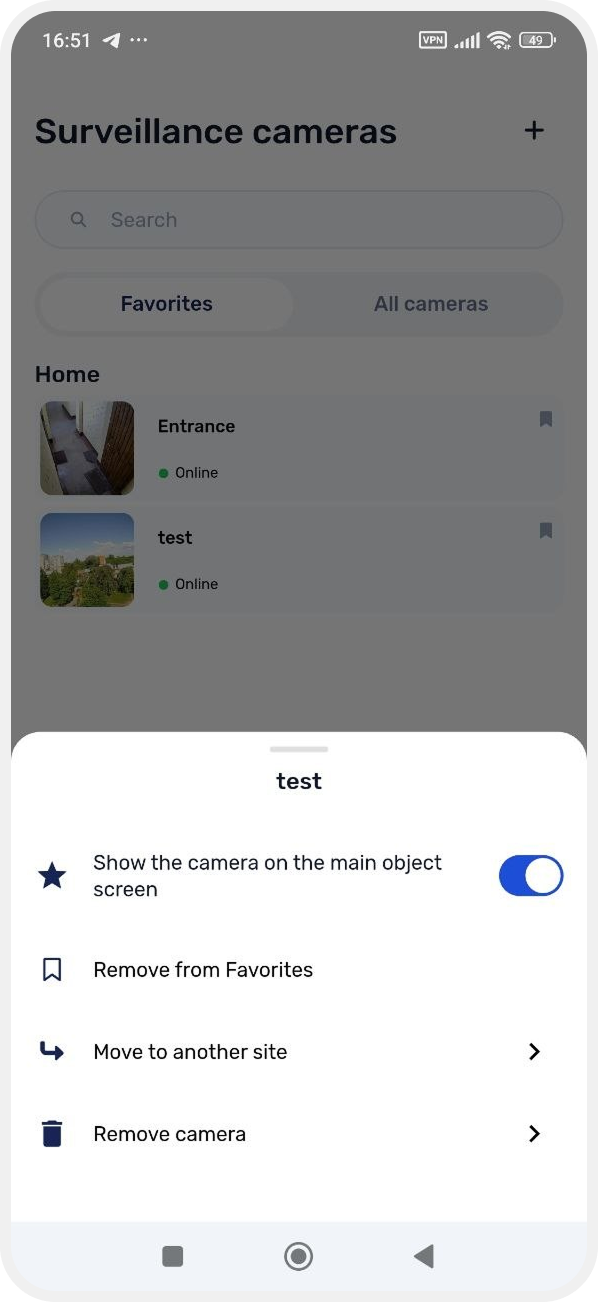
Favorite cameras are cameras you mark for quick access. They are displayed in a separate Favorites tab so you can quickly find and monitor important cameras.

How to add a camera to favorites
You can add any camera to favorites:
1. Go to the Cameras section
2. Find the required camera in the All cameras tab
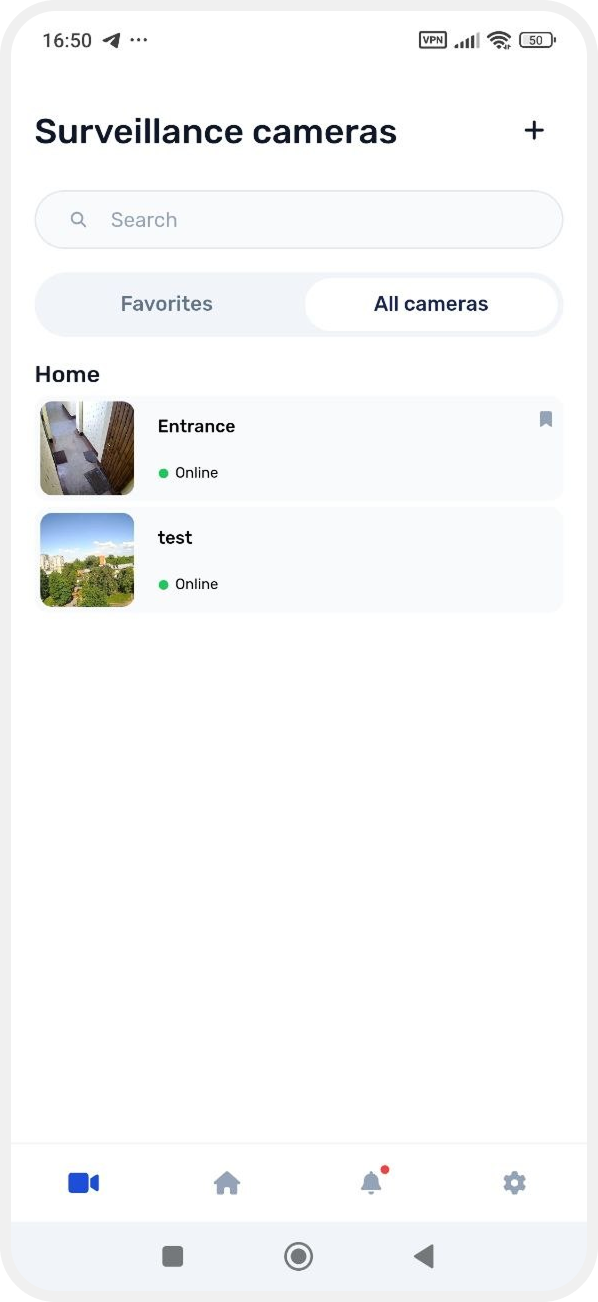
3. Press and hold the camera card
4. In the menu that appears, select Add to favorites
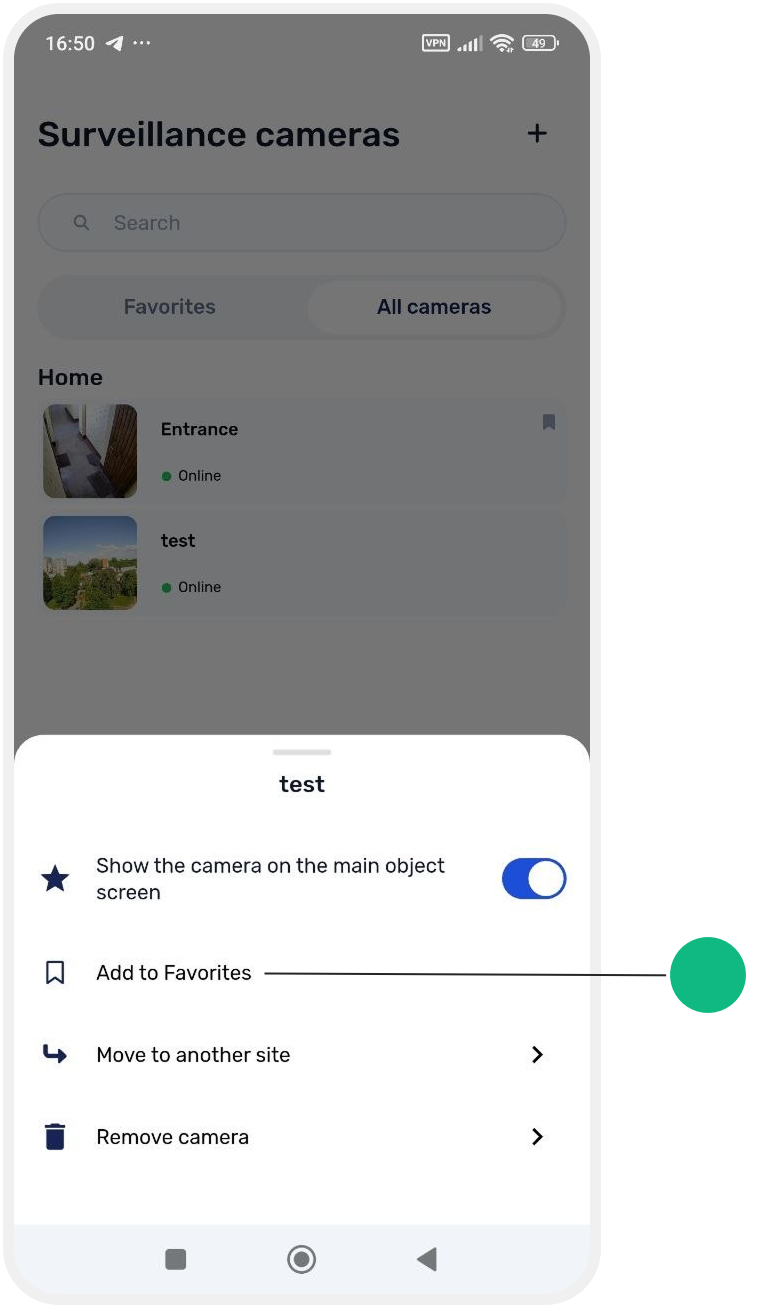
After that, the camera will appear in the Favorites tab.
How to remove a camera from Favorites
If a camera is no longer needed in quick access:
— open the camera menu
— select Remove from Favorites
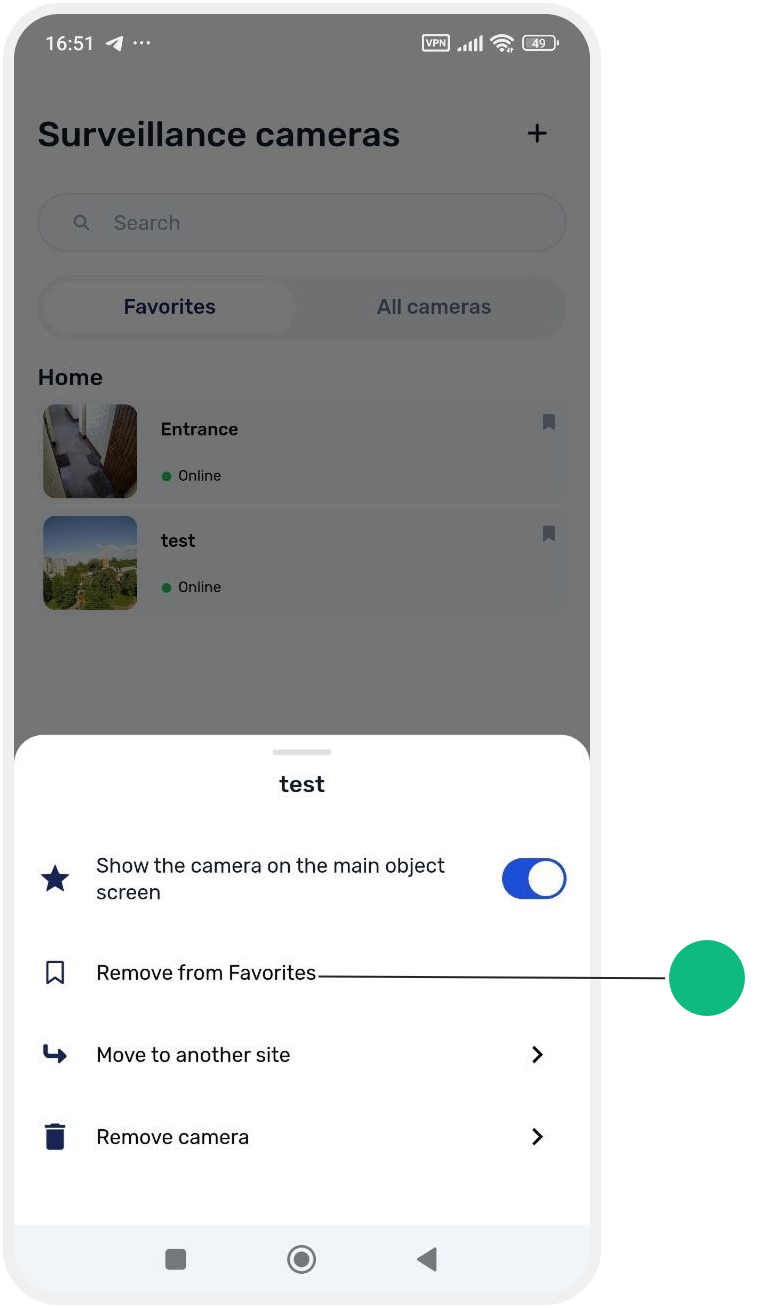
The camera will be removed from the Favorites tab but will remain available in the full list of cameras.
In the Favorites tab, you can:
— open the camera menu
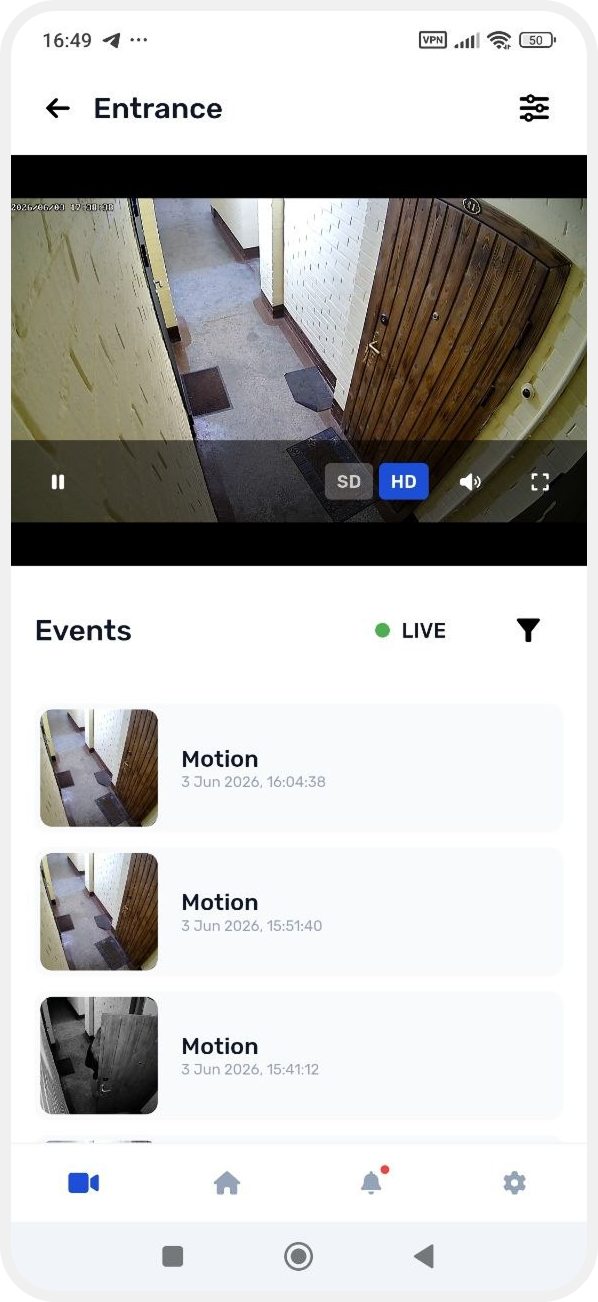
— open the camera card and view live stream and camera events
— change camera settings