
How to delete a key
If a key is no longer used, it can be removed from the system.
To delete a key:
1. Go to the Access keys tab on the main screen of the site
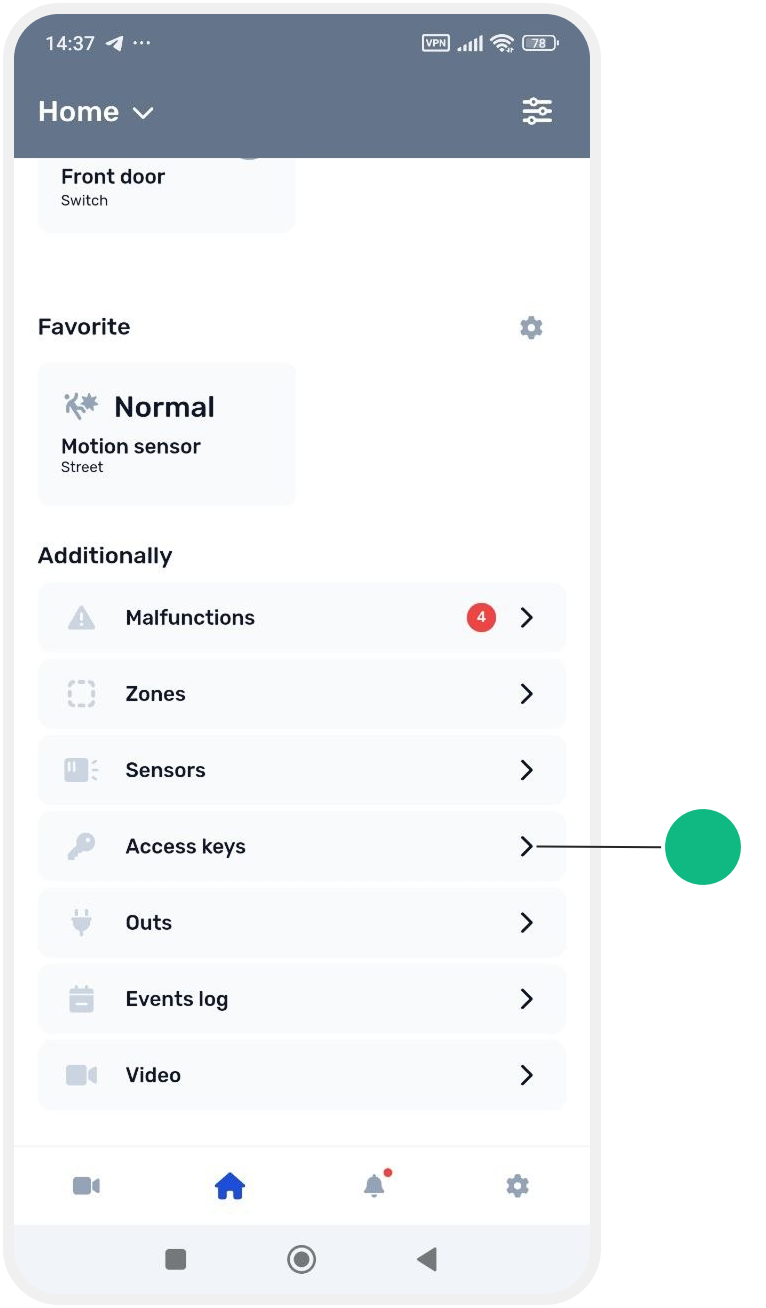
2. Select the key you want to delete from the list
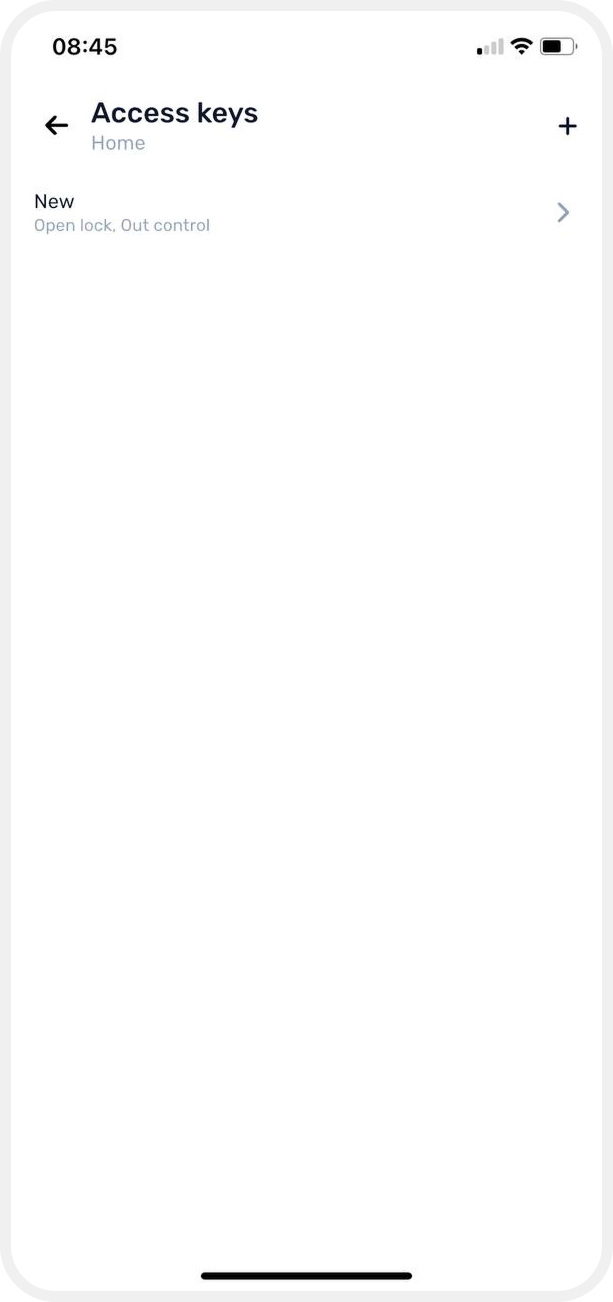
3. The key card will open
4. Tap the delete icon  in the top-right corner of the screen
in the top-right corner of the screen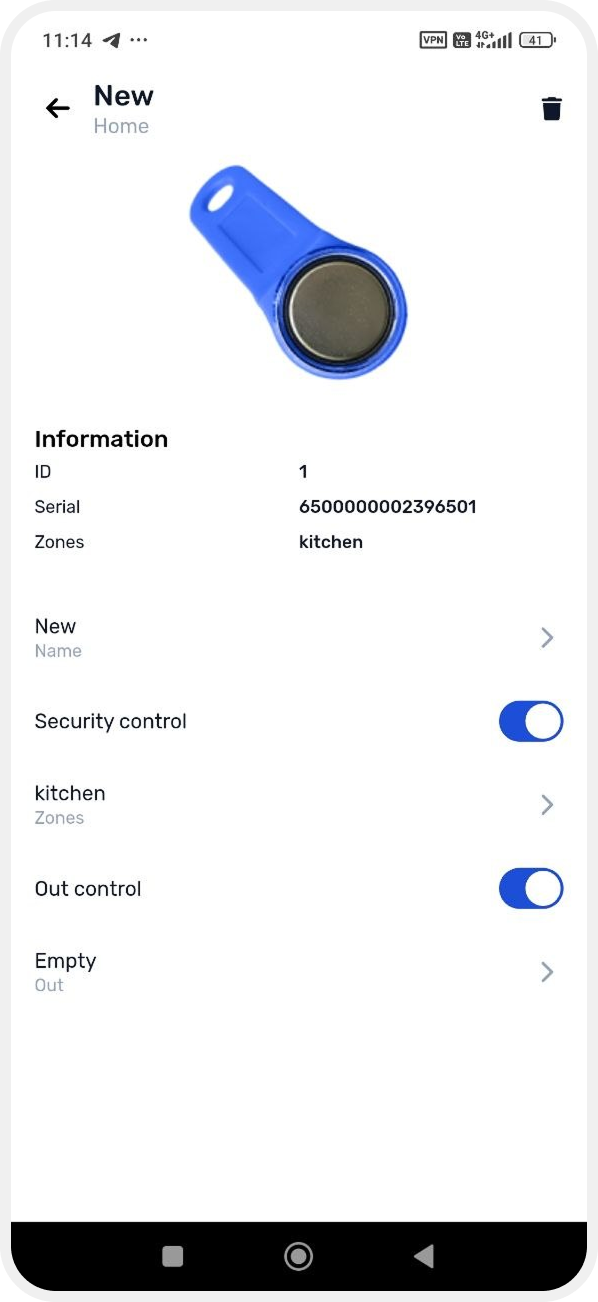
5. Confirm deletion

After confirmation, the key will be permanently removed from the system.