
Site list
In the GARM app, you can manage multiple sites from a single account — for example, your house, apartment, office, or warehouse.
Each site uses a separate hub, and all sites are displayed in one app.
To open the site list:
1. On the main screen, tap the name of the current site in the upper-left corner
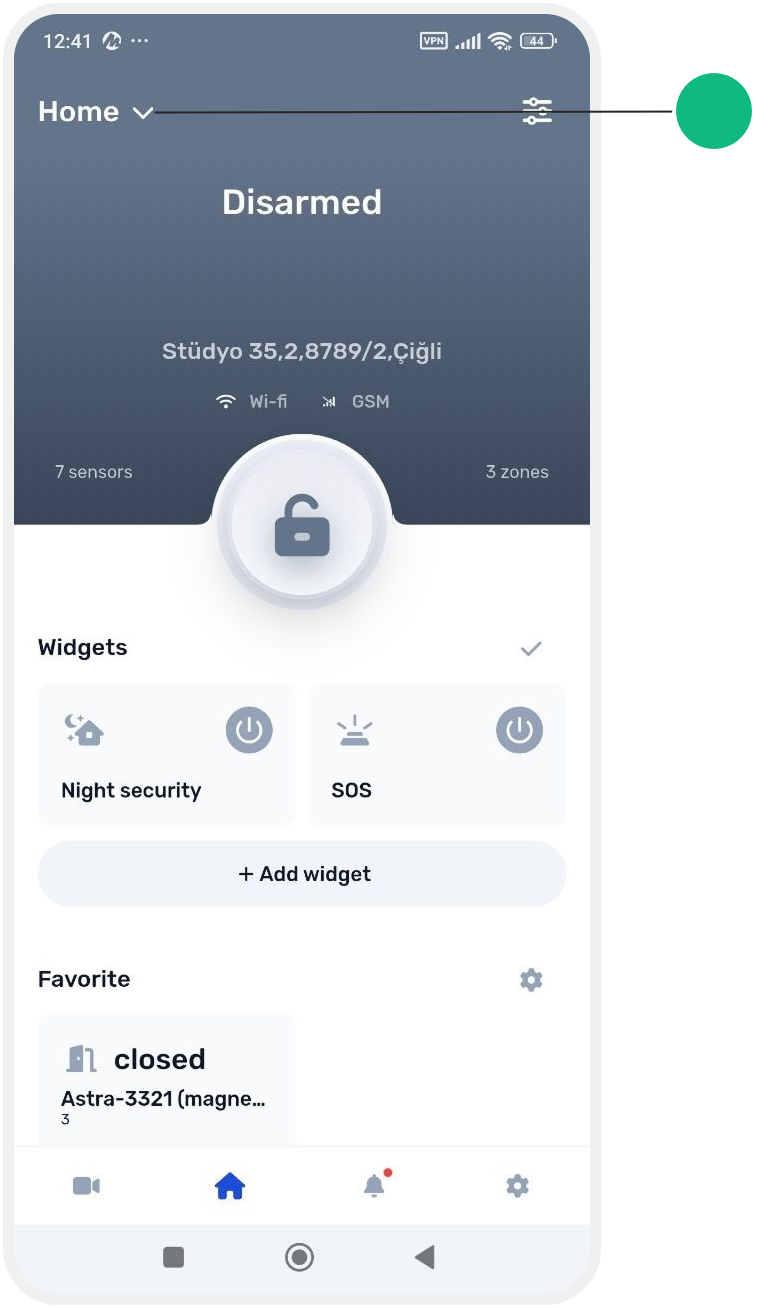
2. A list of all available sites will open

The list includes both the sites you own and the sites you have been granted access to.
To switch to another site, tap its name in the list — the app will open the main screen of the selected site.
The checkmark on the right shows which site is currently selected.

For each site, the list displays:
• site name
• address
• status icon — shows the current site status (for example, armed/disarmed or requires attention)
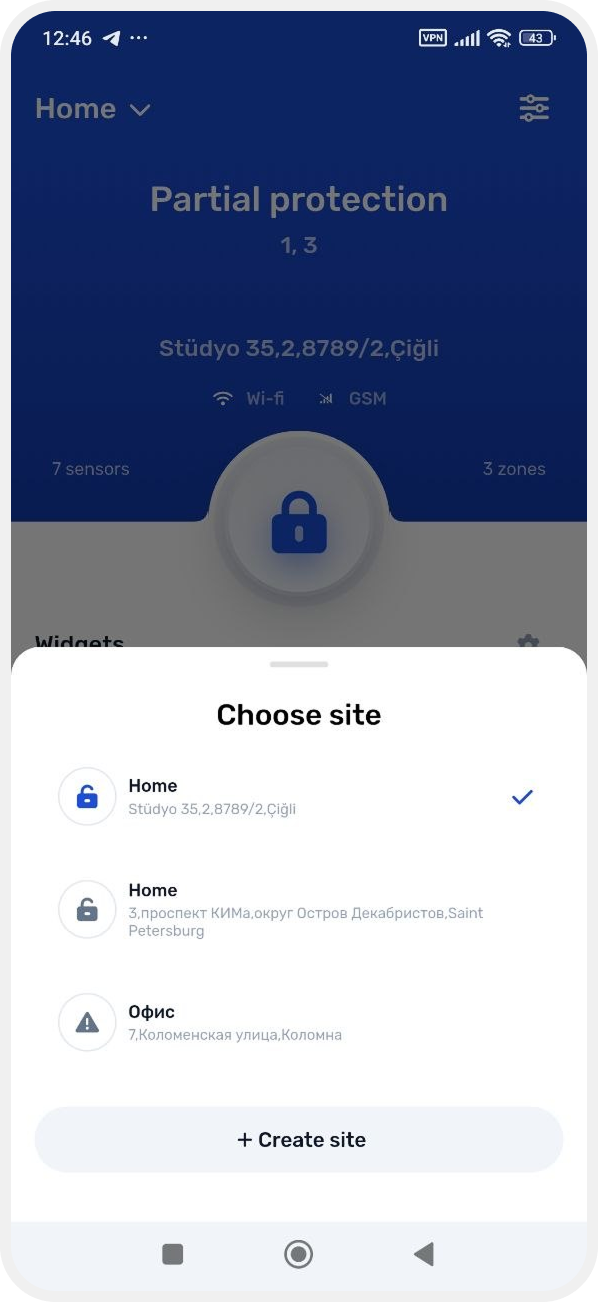
At the bottom of the list, there is a + Create site button that allows you to add a new site to the app. For more details, see the “How to add another site” article.