
Device configuration update
In rare cases, the hub configuration stored on the device may differ from the current configuration in the system. This can happen after settings changes or due to a data mismatch.
To ensure the hub works with the latest settings, it is recommended to update the configuration.
After the update, the device will continue operating with the latest configuration version from the system.
How to update the configuration
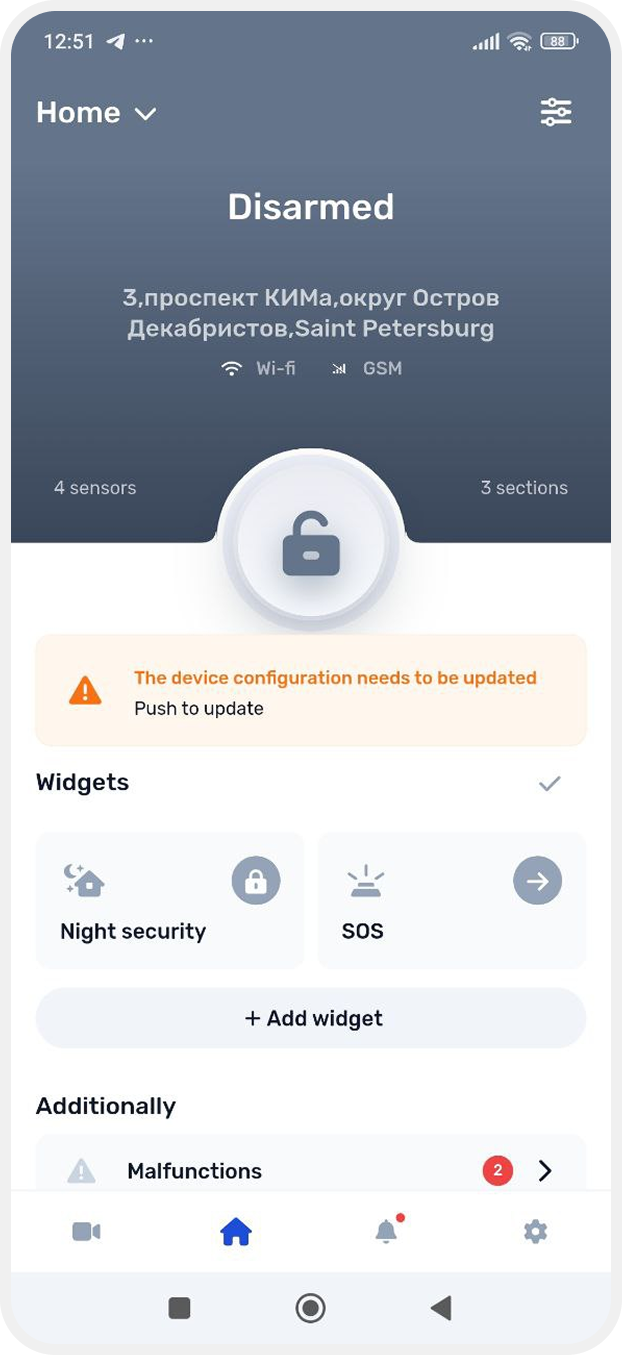
1. Go to the main screen
2. At the top of the screen, you will see the notification The device configuration needs to be updates — tap it
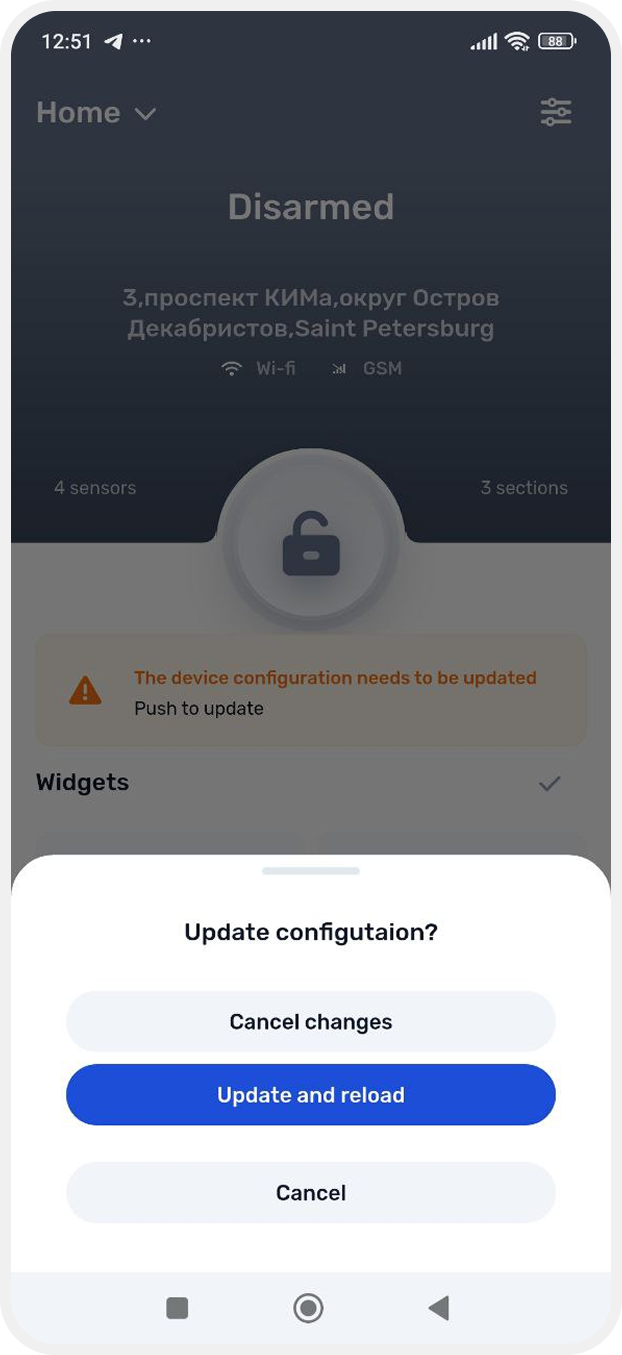
3. Tap Update and reload
4. Wait until the update is complete
If you do not want to update immediately, you can:
— tap Cancel to keep the current configuration
— or select Cancel changes to discard the new changes and restore the previous state