
How to update the hub firmware
Firmware is the internal software of the hub. Firmware updates help the hub work more reliably by adding new features, improving communication stability, and fixing bugs.
Only the owner can update the firmware.
|
Before updating, make sure the site is disarmed.
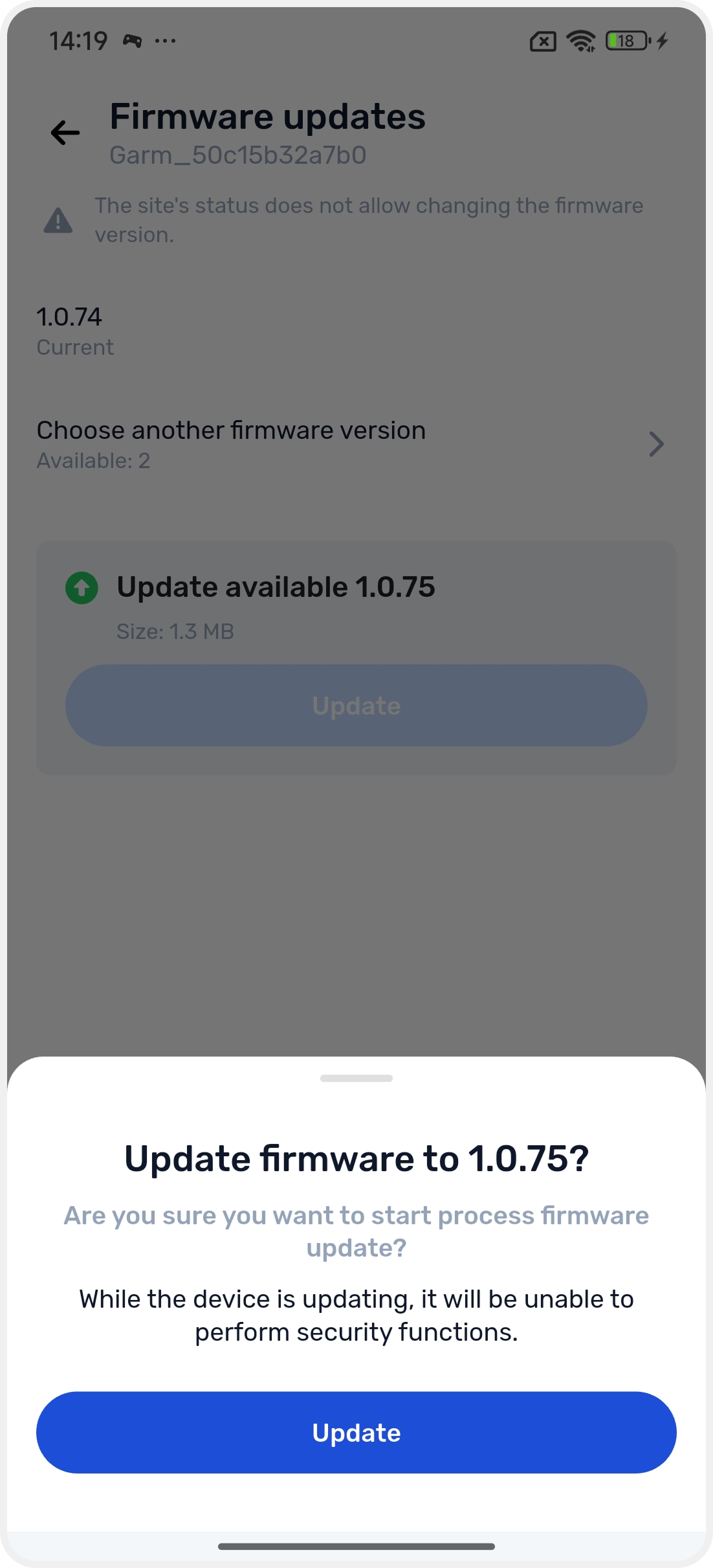
During the update installation, the hub temporarily does not perform security functions.
|
Update checks are performed automatically. When a new version becomes available:
• you will receive a push notification
• a new entry with the version number and release date will appear in the event log
• a red indicator dot will appear in the “Firmware Update” section of the hub card
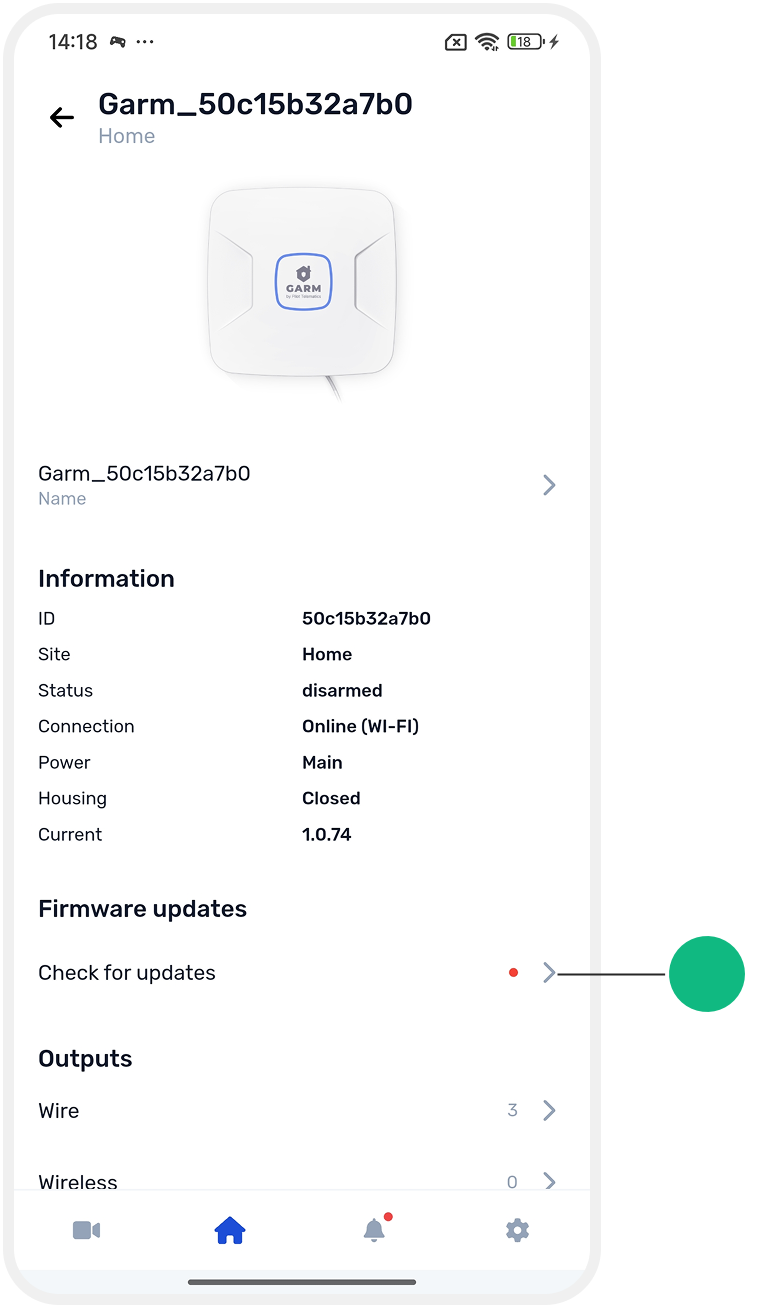
How to update firmware in the app
1. Open the main screen of the site
2. Go to Site settings

3. In the Equipment section, find the hub card and tap it

4. In the hub card, find the Firmware updates section and tap Check for updates
5. On the update screen, you will see:
• the current firmware version
• the available version for installation
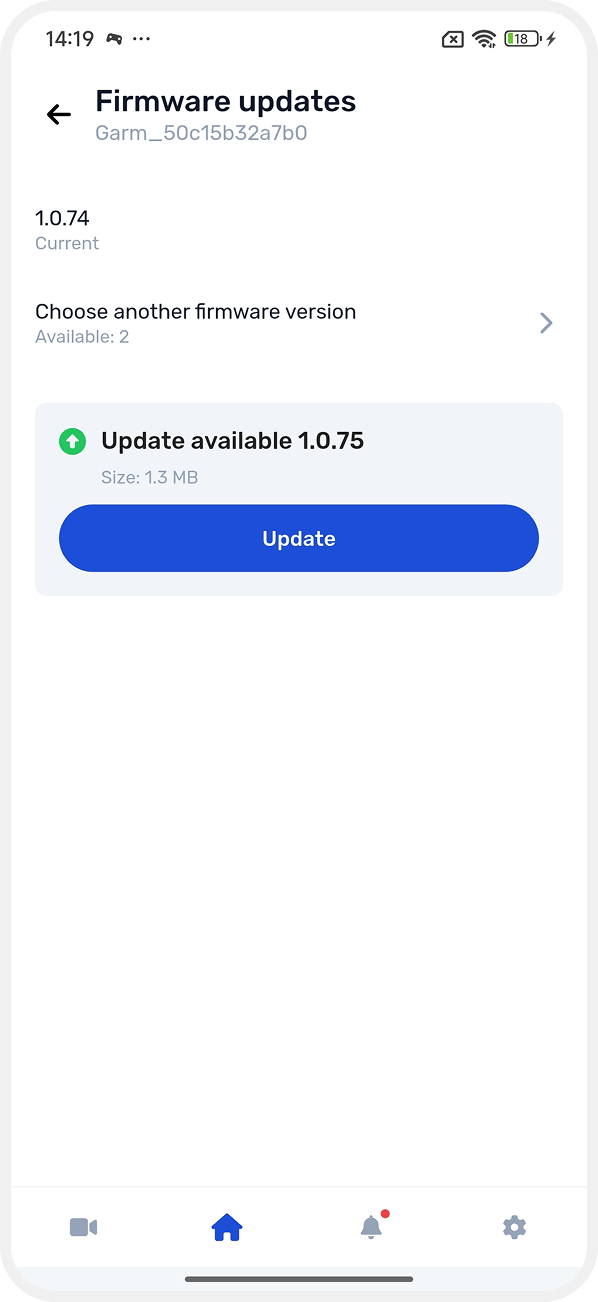
Then choose one of the following options:
Update to the recommended version
• Tap Update and confirm the action
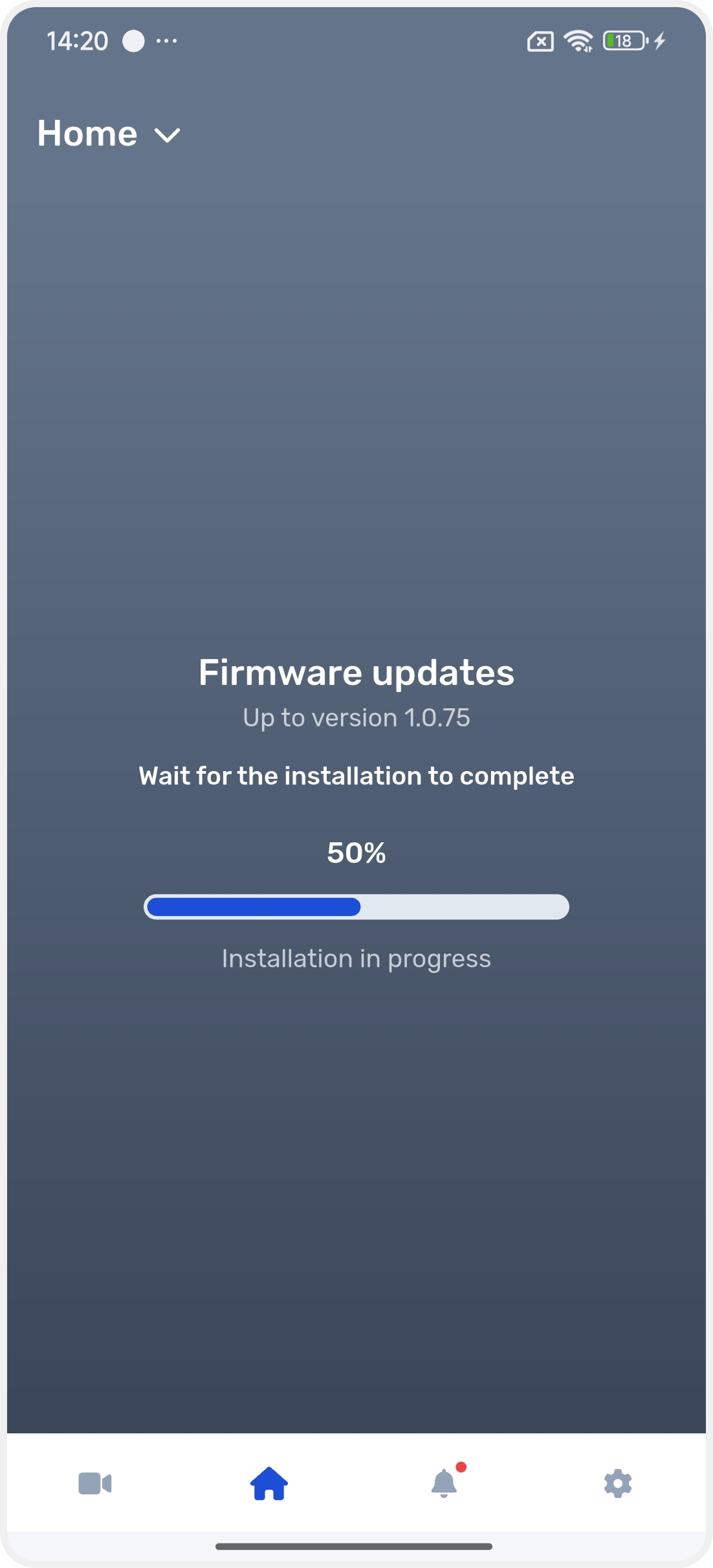
• Wait until the installation is complete — the update progress will be shown on the screen
Choose another firmware version
• Tap Choose another firmware version if multiple versions are available
• Choose the required version and confirm the update
After the installation is complete, the hub will restart automatically.