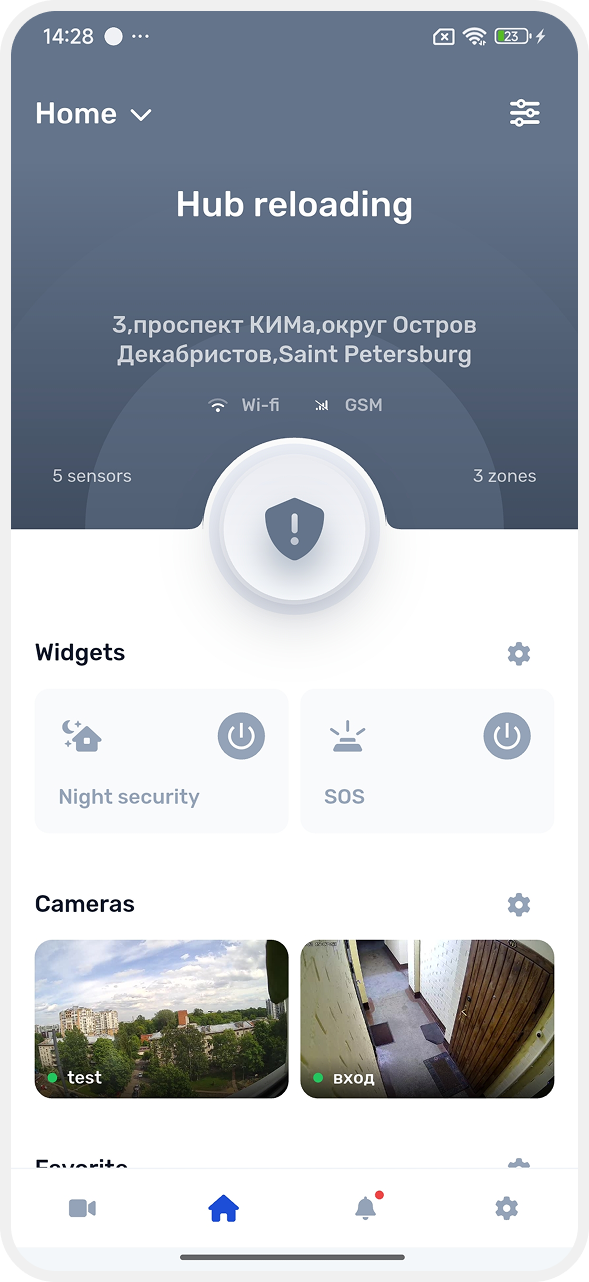
How to restart the hub
Restarting means rebooting the device: the hub turns off briefly and then starts working again.
Before restarting:
— make sure the site is disarmed
— remember that the hub may be unavailable for 1–2 minutes during the restart
You can restart the hub in three ways:
Manually (by disconnecting power)
1. Disconnect the main power: unplug the power adapter from the outlet
2. Disconnect the battery so the hub fully powers off
3. Wait 10–15 seconds
4. Reconnect the battery
5. Plug the power adapter back into the outlet
If you only unplug the power adapter but leave the battery connected, the hub will continue running on battery power and the restart may not happen.
|
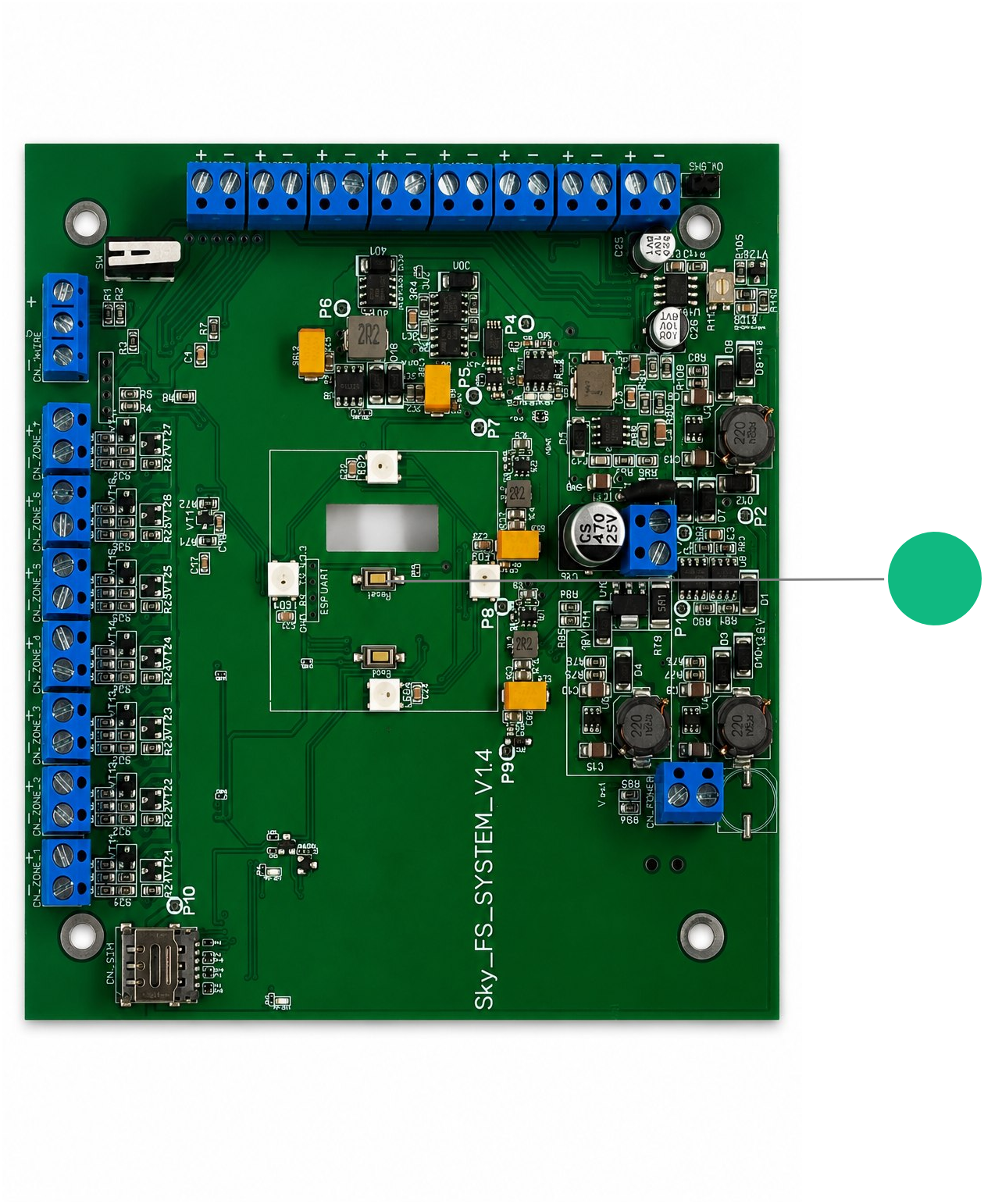
Using the Reset button on the board
The Reset button is located on the hub board. To access it, remove the hub cover.
Press the Reset button once without holding it — the hub will restart.
Through the app
Only the hub owner can restart the hub through the app.
Before sending the command, make sure the security system is disarmed.
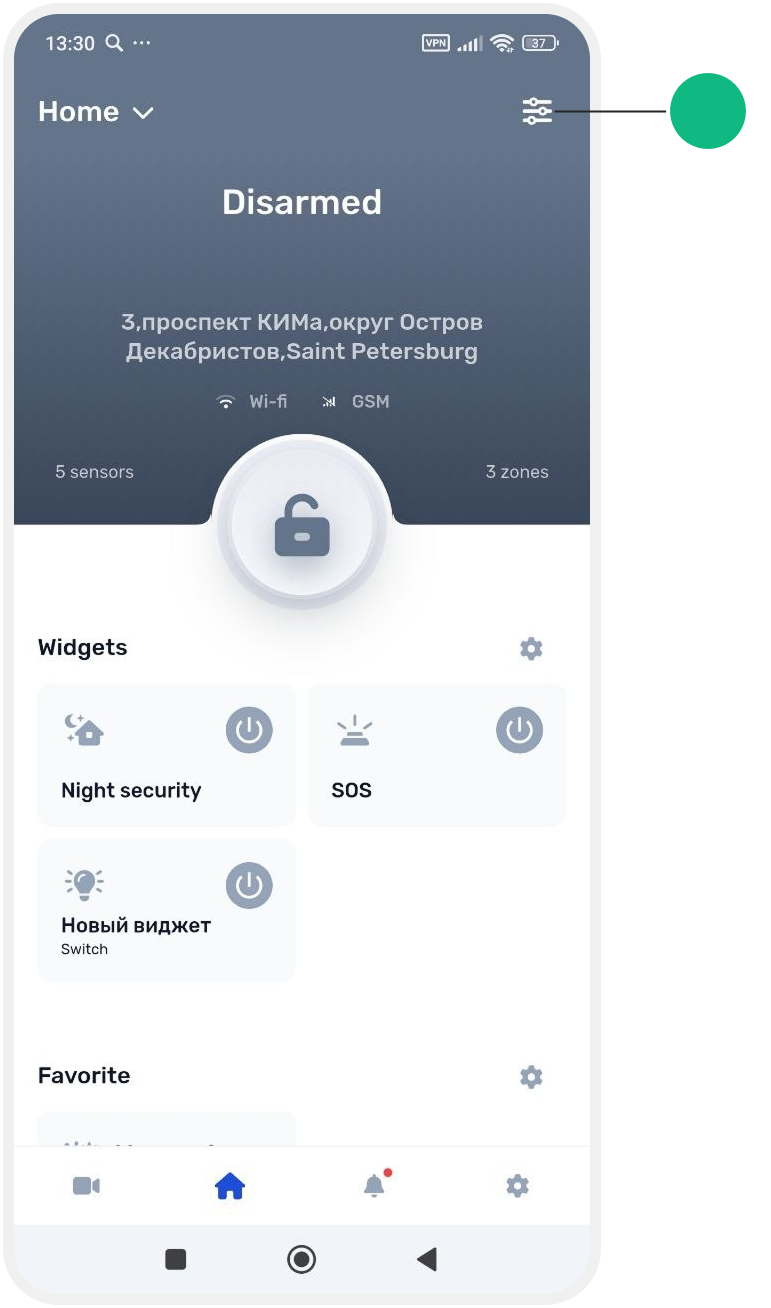
1. Open the main screen of the site
2. Go to Site settings
3. In the Equipment section, find the hub card and tap it
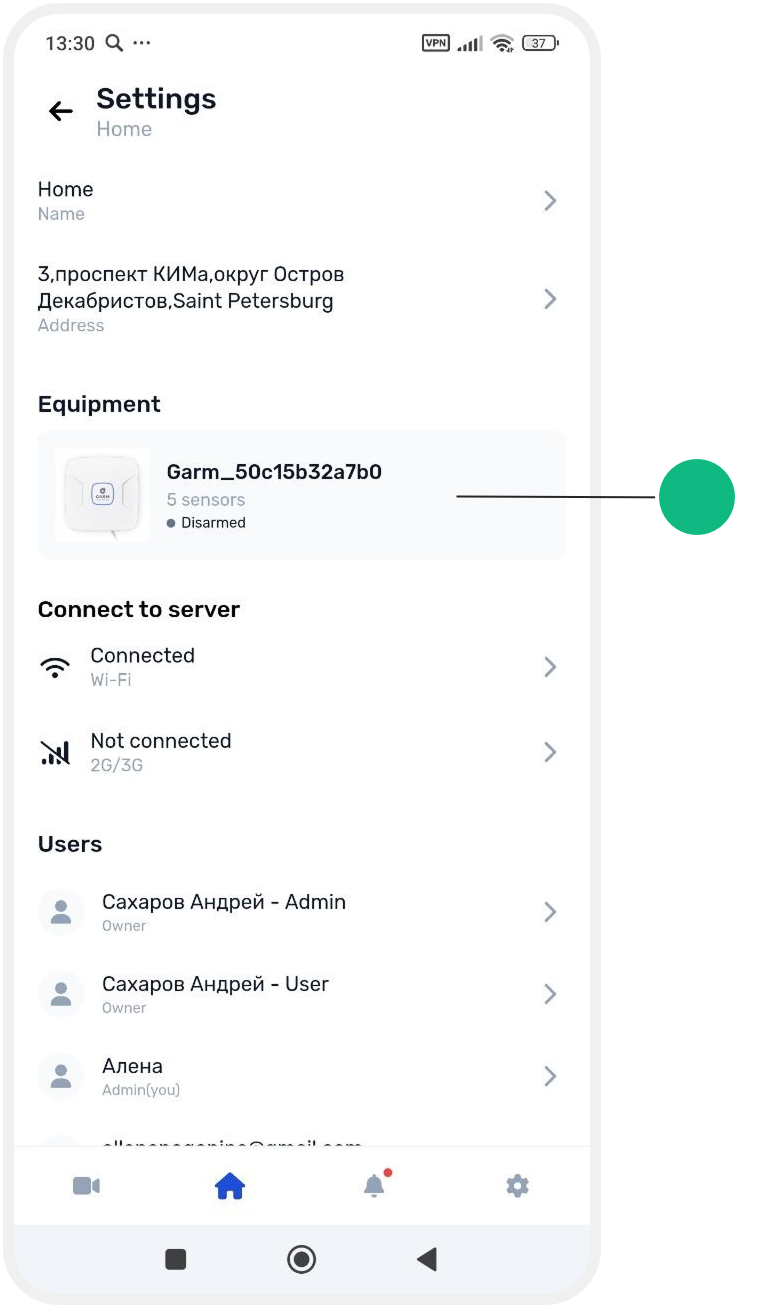
4. The hub card will open. Scroll down, tap Reload device, and confirm the restart.


5. Wait until the reload is complete