
Security control
In this section, we will explain how to fully or partially arm a site, use Night Mode, and quickly send an alarm signal using the SOS button.
Site security controls how sensors operate and helps protect the premises from alarm events.
By default, all site users can control the security system. The owner or administrator can restrict this permission in the access settings.
|
Security modes
The system supports several security modes:
Full arm
All site zones and all available security sensors are armed.

Partial arm
Only the zones that contain configured and ready-to-use security sensors are armed.
If some zones do not contain sensors or some devices are temporarily unavailable, those zones will not be included in security mode. In this case, Partial Arm will be activated.
Partial arm can also be used when you arm only selected zones.
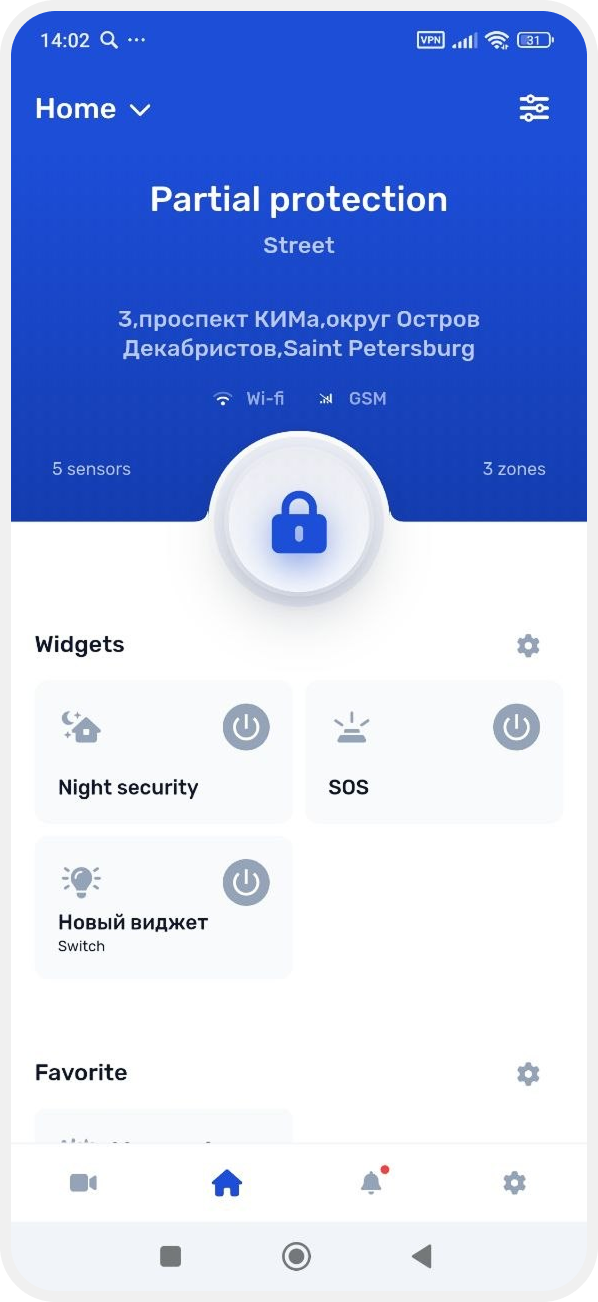
If some zones do not contain sensors or some devices are temporarily unavailable, those zones will not be included in security mode. In this case, Partial Arm will be activated.
Partial Arm can also be used when you arm only selected zones.
Night mode
Allows you to arm selected zones or use full security mode during the night.

SOS
Emergency alarm activation.

Fire detectors and the water leak protection system operate 24/7.
Even if the site is disarmed, the system will still send an alarm notification if smoke or water is detected.
|