
How to activate an SOS alarm
The SOS button allows you to quickly send an alarm signal through the GARM app in an emergency situation.
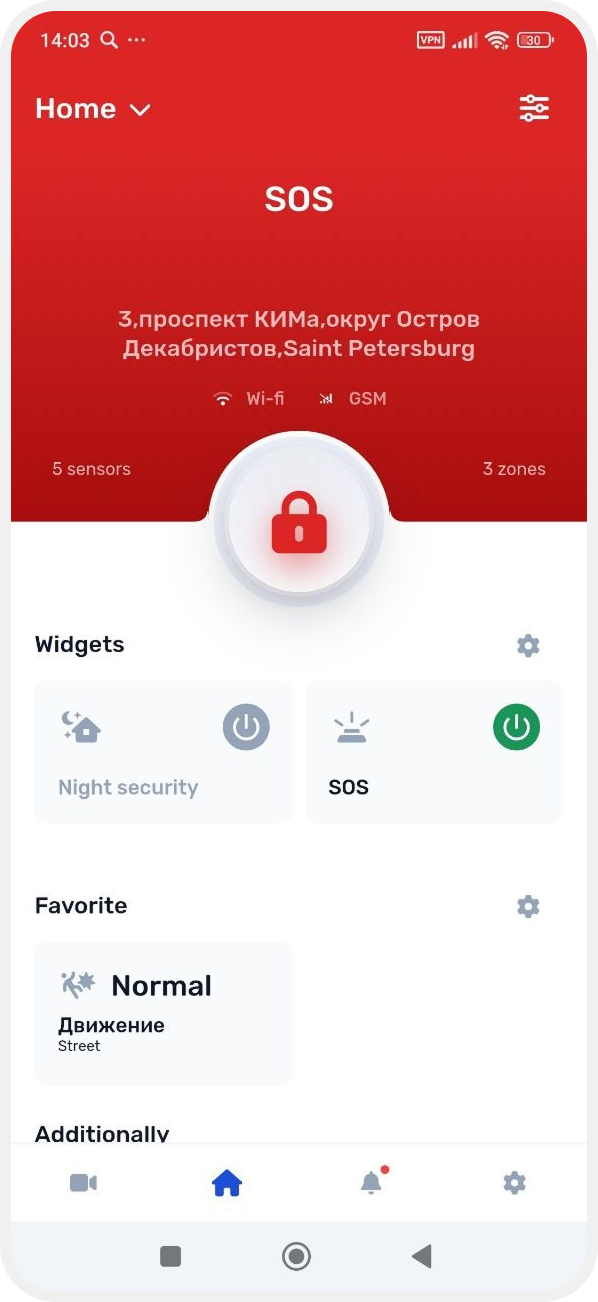
After pressing the SOS button:
— the alarm is activated immediately for all site zones
— the system launches the scenarios configured for the zones
— all outputs and devices assigned to the zones are triggered
For example:
— if a siren is connected to a zone, the siren will turn on
— if a signal light is connected, the light indication will activate
— other actuators assigned to the zone may also be triggered
After SOS activation:
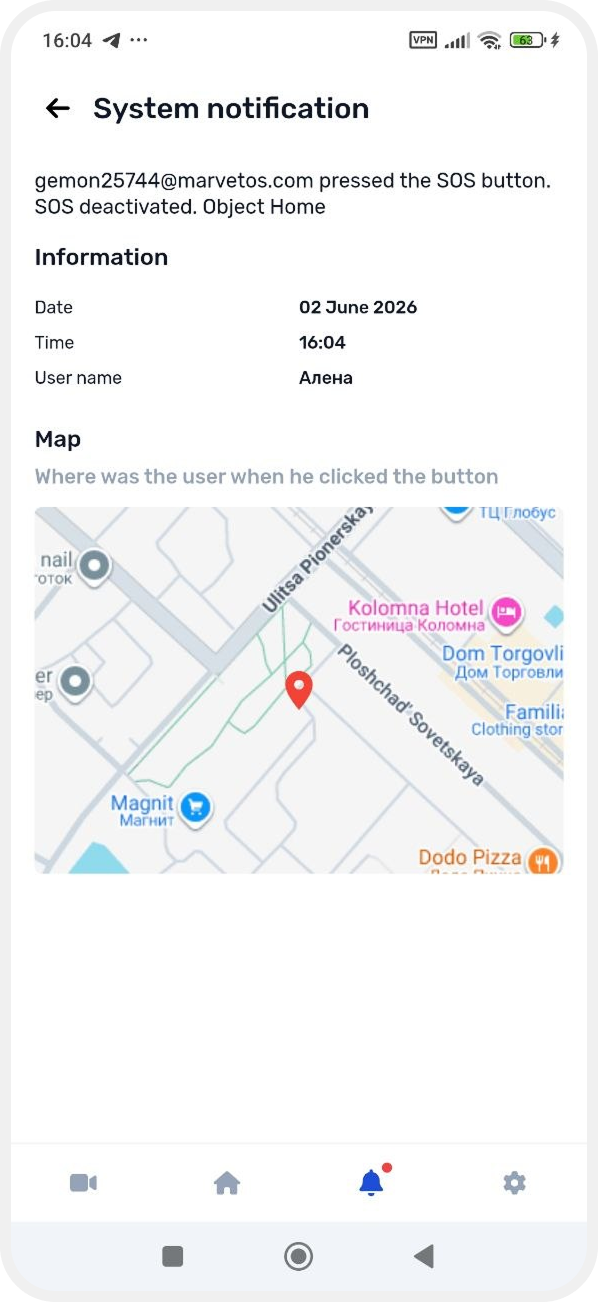
— site users will receive an alarm notification

— an alarm event will appear in the system
— the notification will include the user’s location at the moment the SOS button was pressed (if location access is allowed for the app)
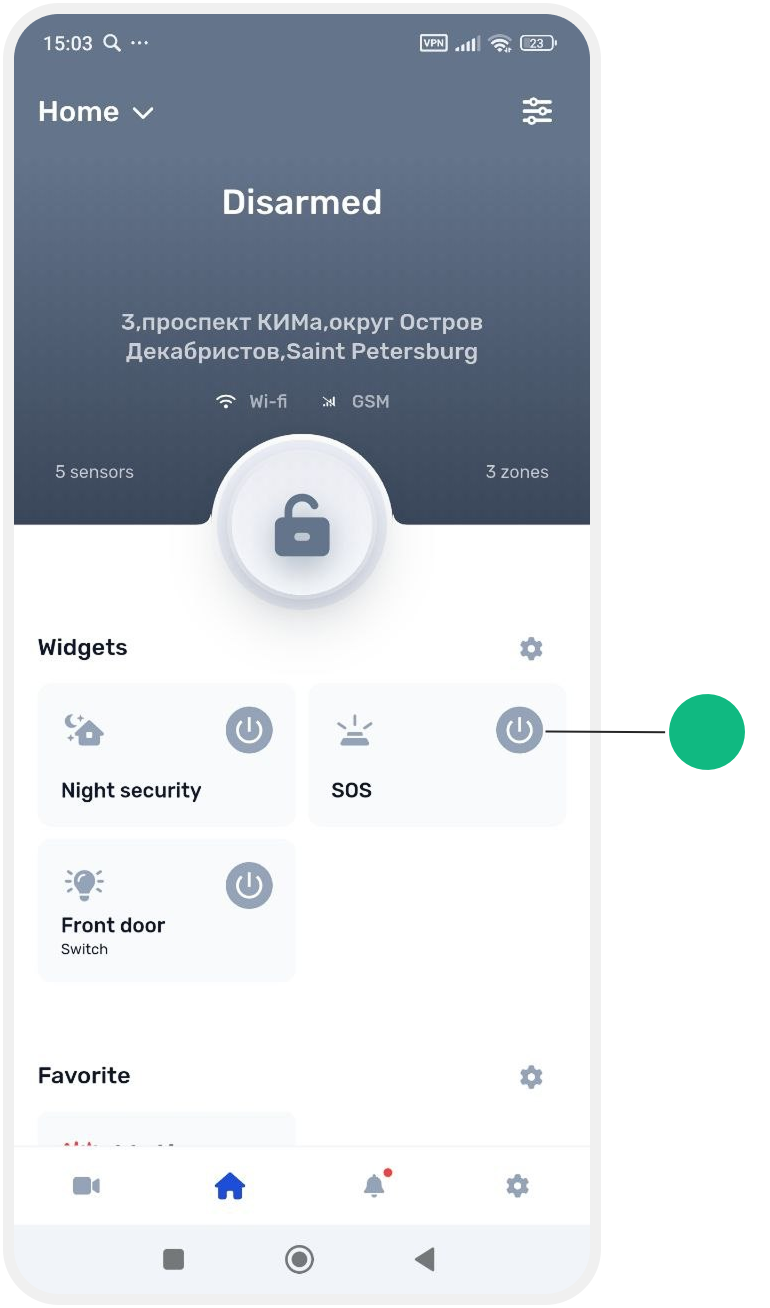
How to activate an SOS alarm
1. On the main screen, find the SOS widget
2. Tap it
After that, the system will immediately switch to alarm mode, and the connected devices will perform the configured actions. The corresponding site status will appear on the screen.
After that, the system will immediately switch to alarm mode, and the connected devices will perform the configured actions. The corresponding site status will appear on the screen.