
How to connect video surveillance
Surveillance cameras allow you to see what’s happening at your object in real time and record events for later viewing.
Through the app, you can:
— watch live video from your cameras;
— receive notifications about motion or alarms;
— view recordings and event history;
— link cameras with other devices in your security system.
How to connect a camera
1. Open the Surveillance cameras section
Here you will see all connected cameras and devices added to Favorites
2. Tap  in the upper-right corner of the screen to add a new camera
in the upper-right corner of the screen to add a new camera3. Select the object to which you want to link the camera


Adding a camera
4. Select the connection type:
• Internet cable — for a wired connection
• Wi-Fi — for a wireless connection
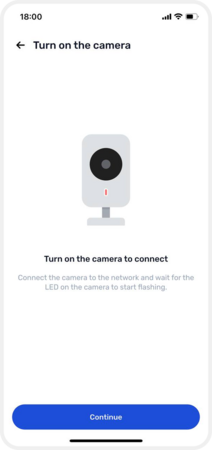
5. Power on the camera — connect it to power and wait until the indicator light starts blinking
6. Tap Continue
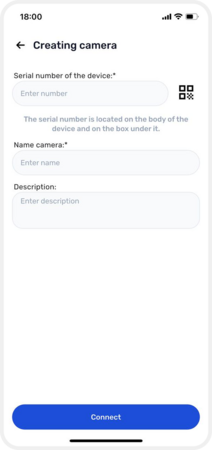
7. Enter the camera details:
• Serial number (printed on the device and the box)
• Camera name — for example, Balcony or Yard
• Description (optional)

Connecting via Wi-Fi
If you choose Wi-Fi:
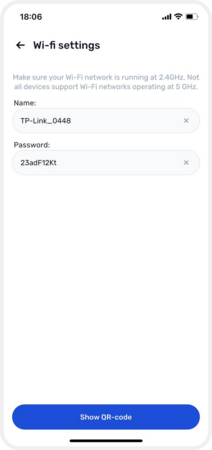
• Connect to your home Wi-Fi network and tap Show QR code
• A QR code will appear on the screen — hold your smartphone 15–30 cm in front of the camera lens
• Wait for the camera to scan the code
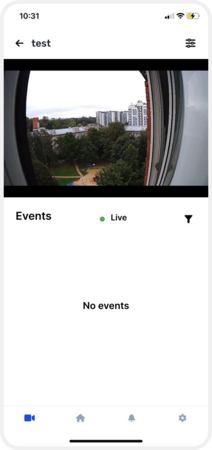
After successful connection, the camera will appear in the list of devices, and you will see the live video stream.

Connecting via Wi-Fi
Connecting via Internet cable
If you chose Internet cable:
1. Connect the camera to power and wait until the indicator light starts blinking — this means the device is ready
2. Tap Continue
3. Connect the camera to your router using a LAN cable
The hub and the camera must be connected to the same network so the system can detect the camera automatically
4. Enter the camera details:
• Serial number (found on the device or the box)
• Camera name — for example, Balcony or Yard
• Description (optional)
5. After saving the settings, the camera will automatically be added to the system and appear in the device list. You can then open it and see the live video stream.
Connecting via an internet cable